Fashion
Manage sizes, colors, and variants across all branches without overselling online or in-store.
Shopify Integrated POS for multi-branch retail
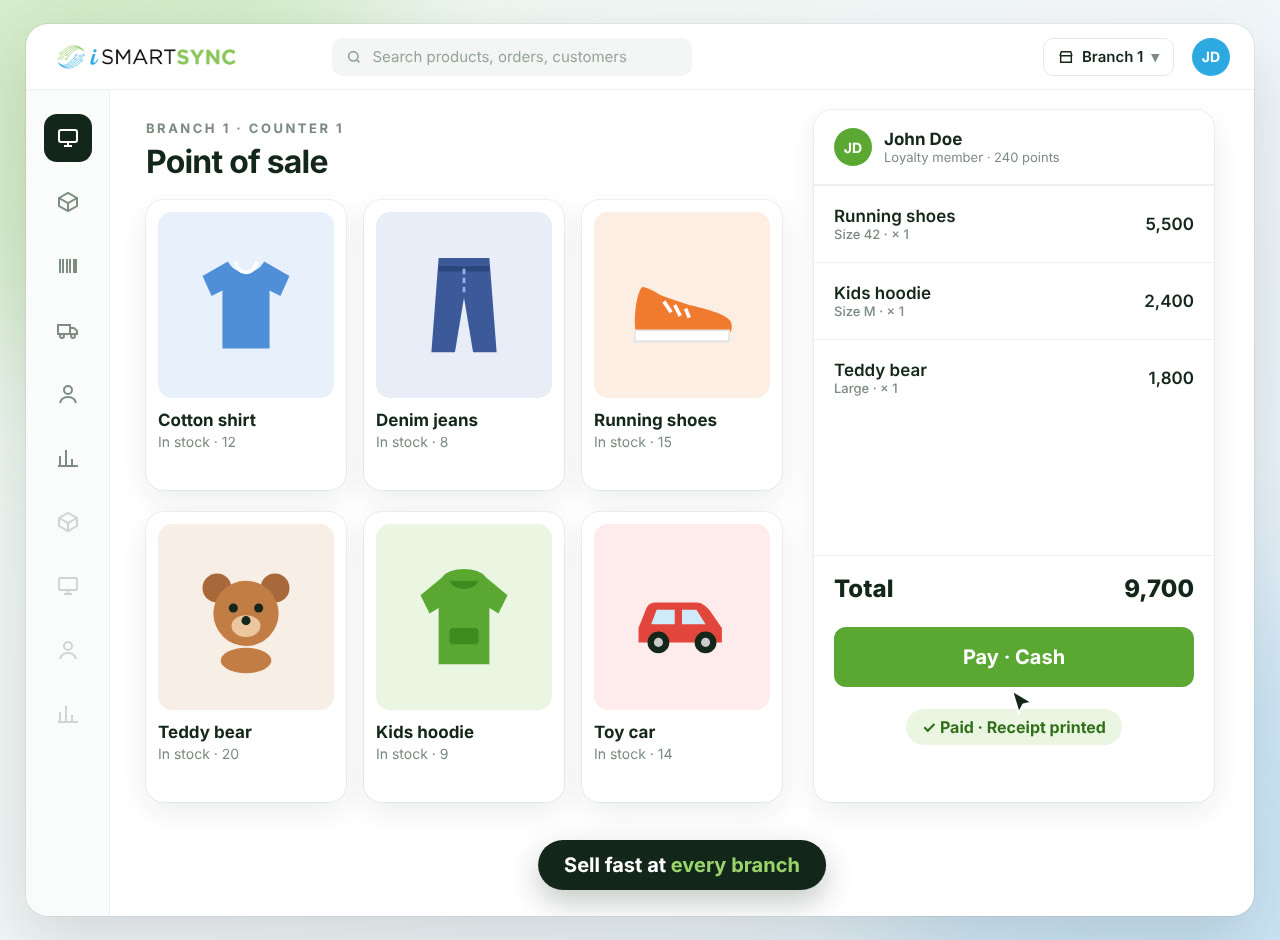
Bill in-store, keep every branch's stock right and ship Shopify orders from one system. Stock changes when goods actually move.
✓ No card needed · ✓ Set up in minutes
WHY SHOPIFY RETAILERS SWITCH
Built for retailers who want faster billing, cleaner stock, and one system that keeps Shopify, branches, fulfillment, and FBR checkout aligned from the start.
Each sale and shipment hits the branch that actually fulfills it, so Shopify stock stays accurate.
Billing, fulfillment, transfers, returns, and exchanges all feed one stock truth instead of creating daily repair work.
Run checkout, print FBR-ready receipts, and handle refunds without turning compliance into a separate workflow.
Faster counters. Cleaner stock. Stronger control.
Supported industries
Fashion
Manage sizes, colors, and variants across all branches without overselling online or in-store.
Furniture
Keep showroom stock, deliveries, and warehouse inventory aligned in one system.
Cosmetics
Track shades, testers, and expiry dates so staff always know what’s safe to sell.
Apparel
Handle new arrivals, seasonal sales, and returns without losing inventory accuracy.
Footwear
Control size runs and pairs across outlets and prevent selling the same size twice.
Home & Office
Match physical displays to system stock — from single items to bundled sets.
Electronics
Track IMEIs, warranties, and exchanges with every sale reflected instantly.
Books & Stationery
Manage titles, editions, and fast movers while counter and online sales stay in sync.
Toys & Games
Organise products by category and availability so customers only see what’s in stock.
Bakeries & Sweets
Keep daily production, orders, and inventory flowing without manual reconciliation.
Optics
Track prescriptions, frames, and lenses and know what’s ready in each branch.
Auto & Spare Parts
Find the right part by barcode and know exactly where it’s available.
Fashion
Manage sizes, colors, and variants across all branches without overselling online or in-store.
Furniture
Keep showroom stock, deliveries, and warehouse inventory aligned in one system.
Cosmetics
Track shades, testers, and expiry dates so staff always know what’s safe to sell.
Apparel
Handle new arrivals, seasonal sales, and returns without losing inventory accuracy.
Footwear
Control size runs and pairs across outlets and prevent selling the same size twice.
Home & Office
Match physical displays to system stock — from single items to bundled sets.
Electronics
Track IMEIs, warranties, and exchanges with every sale reflected instantly.
Books & Stationery
Manage titles, editions, and fast movers while counter and online sales stay in sync.
Toys & Games
Organise products by category and availability so customers only see what’s in stock.
Bakeries & Sweets
Keep daily production, orders, and inventory flowing without manual reconciliation.
Optics
Track prescriptions, frames, and lenses and know what’s ready in each branch.
Auto & Spare Parts
Find the right part by barcode and know exactly where it’s available.
HOW STOCK MOVES IN ISMARTSYNC
At the counter, iSmartSync deducts stock from the selling branch and Shopify syncs to match. For Shopify orders, your team can use Smart Fulfillment inside iSmartSync or Manual Fulfillment for branch-side stock recording after Shopify is handled.

Shopify orders start here

Branch stock is managed here
A customer checks out at the branch counter.
Stock deducts immediately from that branch, and Shopify syncs to match the new quantity.
Staff fulfills the Shopify order inside iSmartSync.
Your team chooses the branch inside iSmartSync and completes the fulfillment flow there, so branch stock moves through Smart Fulfillment.
Branch staff records what physically went out.
iSmartSync deducts branch stock as an internal movement record, while Shopify fulfillment stays handled separately.
One clear rule for store sales, two clear fulfillment paths for Shopify orders, and branch stock that stays understandable for your whole team.
Courier booking built in
No separate courier app. Stock leaves the branch that actually ships the parcel.
Order
#1042
John Doe
12 Main Street, Springfield
1 × Shirt · 1 × Jeans
Pack the order and book your courier from the same screen. Book one parcel or a whole day's orders at once.
Labels and the rider's load sheet in one click. The tracking number goes to Shopify on its own.
Customers follow the parcel on a tracking page inside your own store, in your colours.
Import the courier's COD payment file and see which parcels are paid and which are not.

Smooth operations, real-time sync, accurate stock—everything just flows.
SHOPIFY INTEGRATED POS, EXPLAINED
Pick a scenario and see how a real Shopify Integrated POS behaves differently from patchwork tools and connector-style logic.
Scenarios
Selected scenario
Online order comes in
Pain: Stock changes before anything moves.
What usually happens
Most systems reduce stock the when an order is placed, even though the item is still on the shelf.
Fixing is manual. Drift builds over time.
What iSmartSync does
iSmartSync waits until staff pick and pack the item, then reduces stock from the chosen branch.
One rule. Consistent stock.
Related benefits
Golden rule
If nothing moved, stock should not change. (No item moved, no stock change.)
Most POS systems update stock when orders change. iSmartSync updates stock when items are physically picked.
FAQ
Clear answers about Shopify connection, branch stock, fulfillment, refunds, FBR, and daily retail operations.
Trusted by growing Shopify brands




SHOPIFY + BRANCH STOCK
iSmartSync deducts stock from the branch that actually sells or ships, so Shopify and stores stay aligned.
✓ No card needed · ✓ Set up in minutes

Inventory & Stock
Orders & POS
Staff & Cash
Analytics & Control
Commerce & Marketing