

Expense management
Lite planRestaurant expense management in the POS
Daily expenses recorded where the cash is.
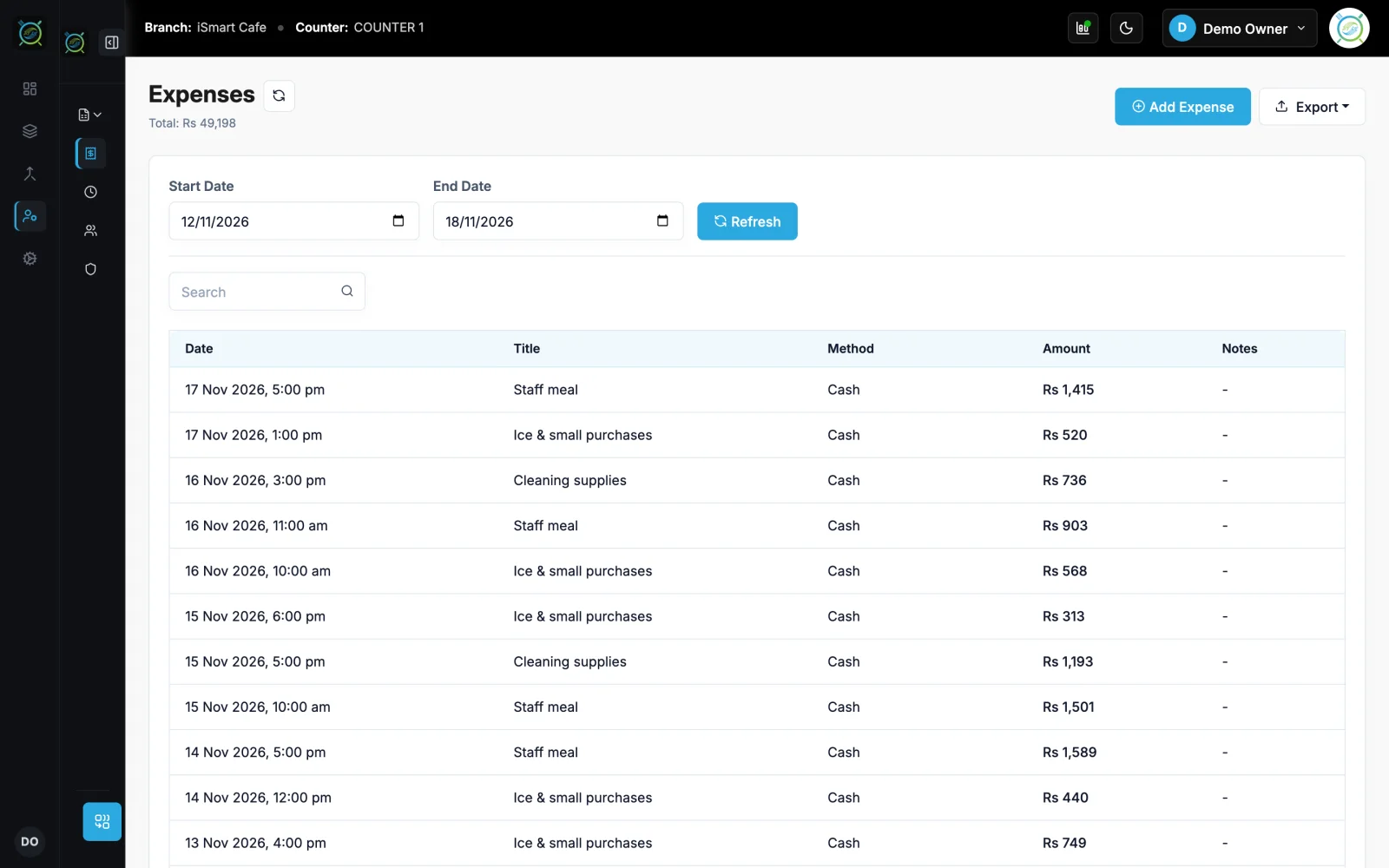
Record expenses in the POS by cash, card, bank or owner. Cash expenses come out of the open shift, so the drawer still adds up at closing.
Demo login: Demo Owner, PIN 1234. No sign-up.
How it works
3 simple steps
- 1
Add the expense
Title, amount, how it was paid and a note.
- 2
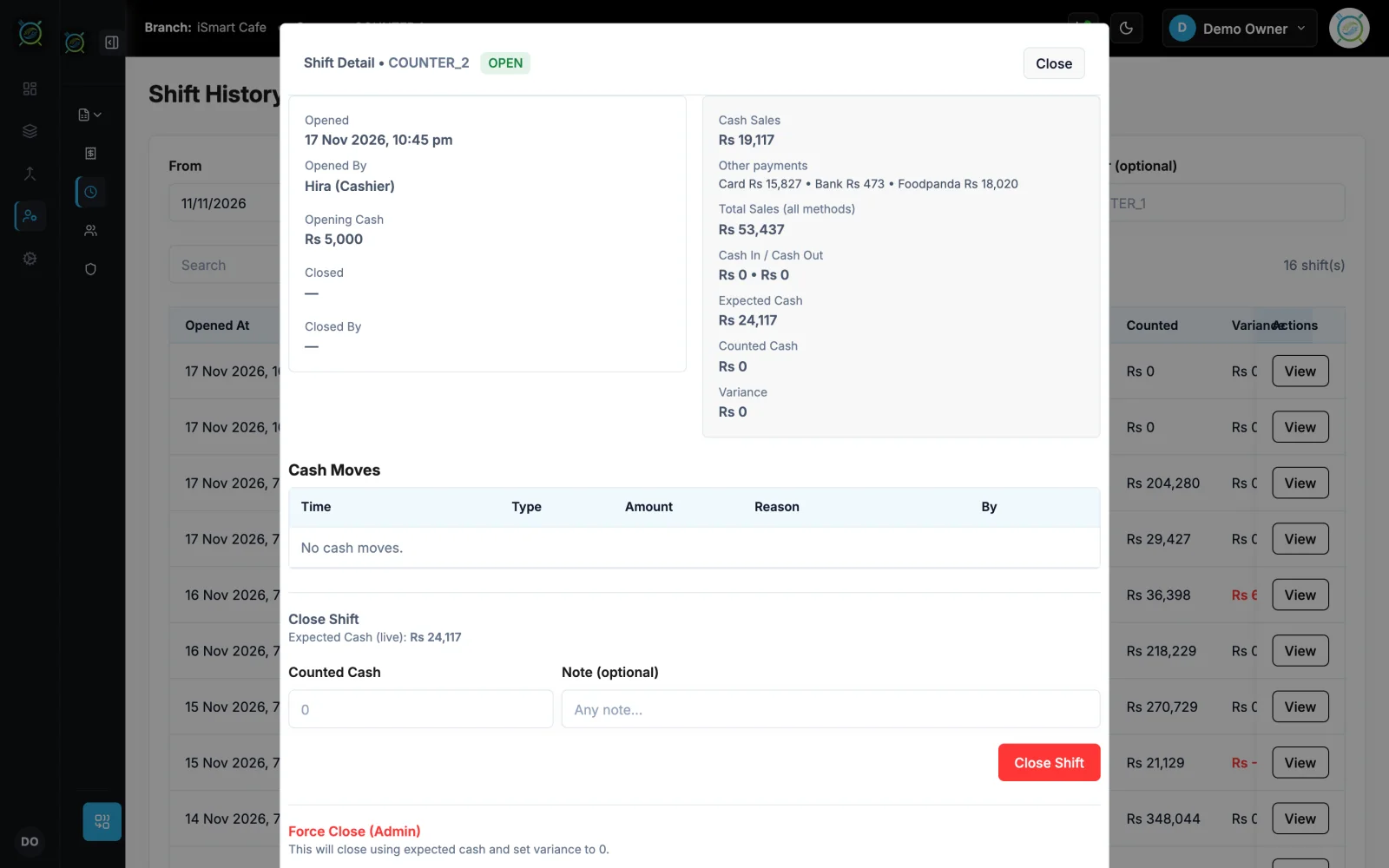
Shift adjusts
Cash expenses reduce the shift's expected cash.
- 3
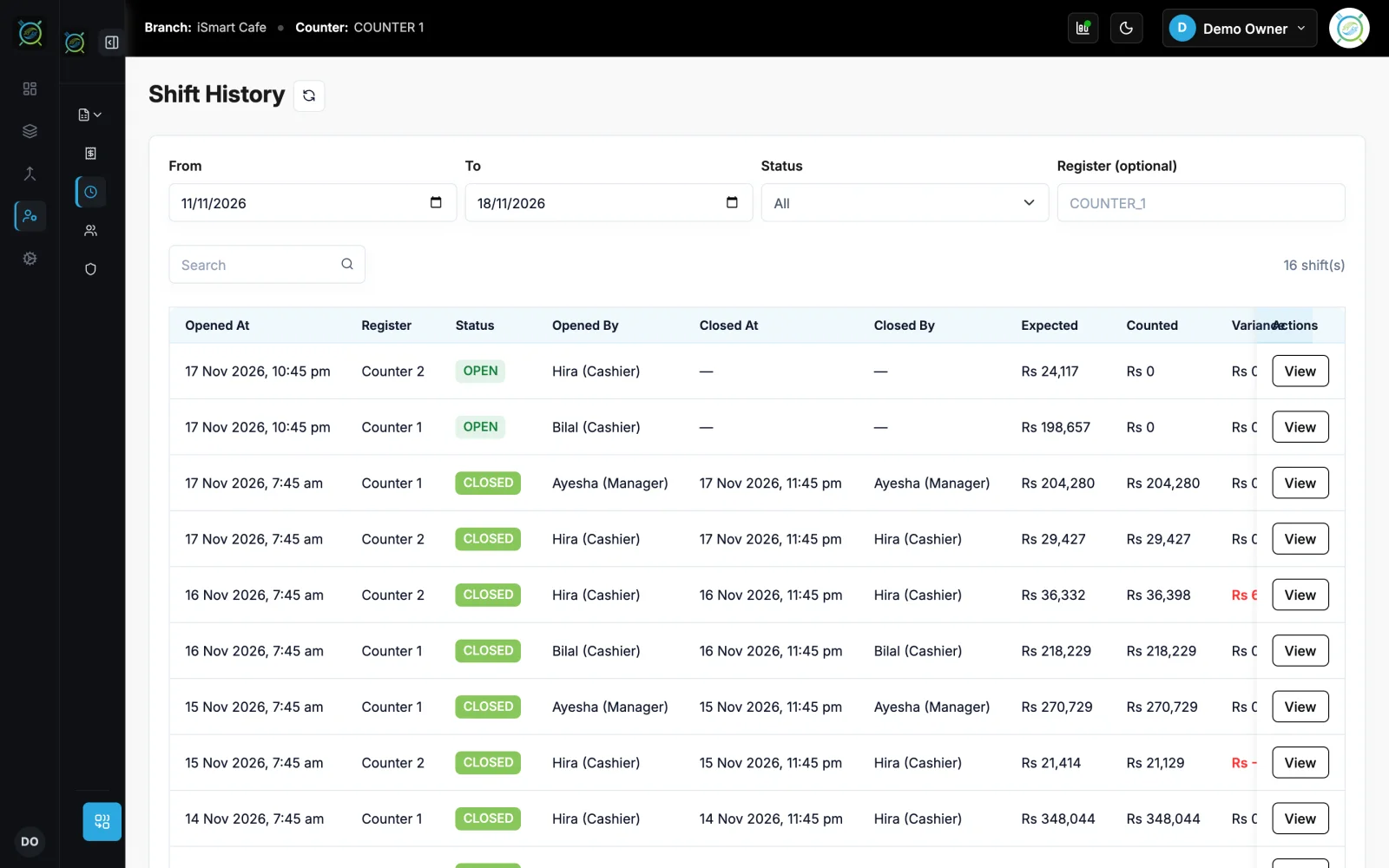
Check the shift history
Every shift with its expenses, expected and counted cash.
What you get
Made for a busy counter
See expense management on the live demo
The real iSmart Serve, with a demo cafe's menu, tables and kitchen. Click around; nothing you do is kept.
Demo login: Demo Owner, PIN 1234. No sign-up.
Ice, gas and a plumber
The manager records Rs 1,500 for ice and Rs 3,000 for the plumber in cash, and the gas bill by bank. At closing, the cash expenses are already in the expected cash.
Works well with
Related features
Opening cash, cash in and out, counted cash.
Learn more →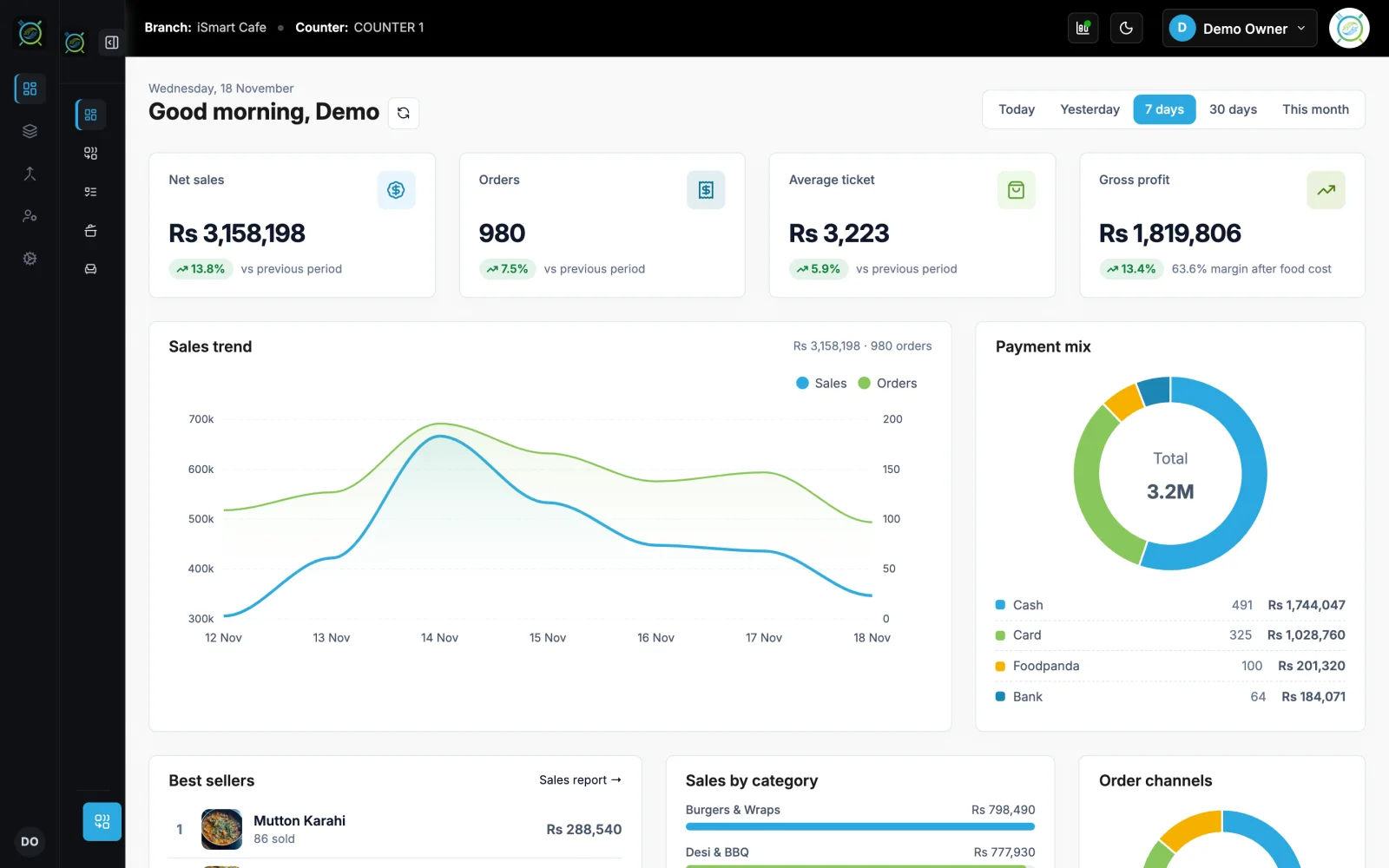
Sales, orders, shifts, expenses and profit.
Learn more →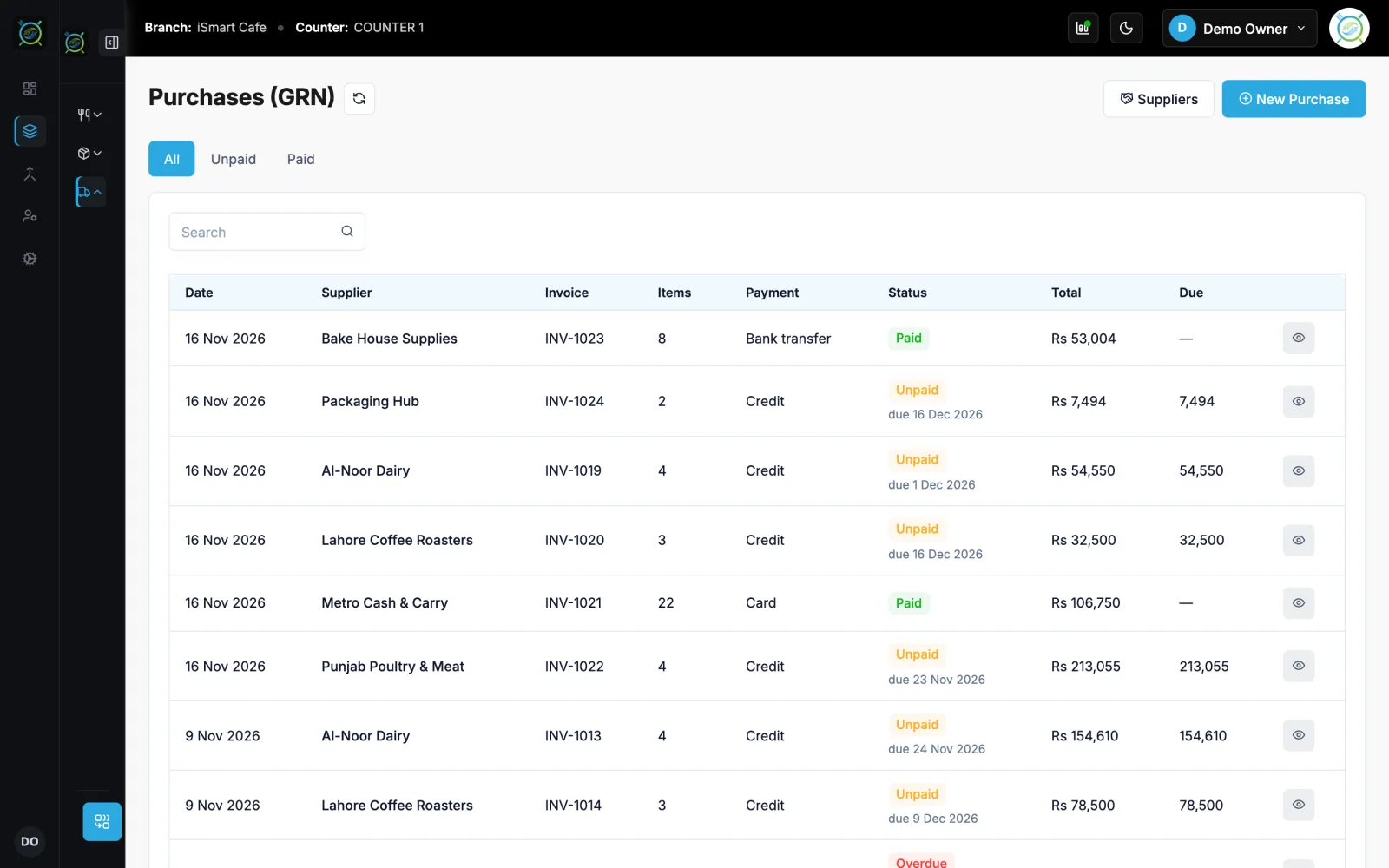
Goods received, credit, payables and ledgers.
Learn more →FAQ
Expense management: questions
Short answers about how it works in iSmart Serve.
Still have questions? Talk to us.
Yes. Cash expenses are taken from the open shift, so the expected cash at the end of the shift already includes them.
Yes. It runs on your counter PC, so billing, the kitchen display and waiter phones keep working on your shop Wi-Fi. Data syncs to the cloud when the internet is back.
A Windows PC at the counter and a thermal receipt printer (80 mm or 58 mm). Phones and tablets on your shop Wi-Fi can run the waiter app, the kitchen display and QR table ordering in the browser.
The Lite plan is Rs 2,999 a month and the Ultra plan is Rs 5,999 a month, per branch. Paying yearly saves 15%. Add-ons include the menu website, FBR integration and extra counters.
Yes. Open the live demo at demo.serve.ismartsync.com and sign in as Demo Owner with PIN 1234. You can also see a demo cafe website at demo.menu.ismartsync.com.
From Rs 2,999 a month per branch
Run your restaurant on iSmart Serve
Lite Rs 2,999 or Ultra Rs 5,999 a month, 15% off yearly. Try the live demo now, or talk to us and we will set it up for you.
See pricing and add-onsDemo login: Demo Owner, PIN 1234. No sign-up.
Demo cafe website: demo.menu.ismartsync.com