Commission motivates sales staff. It also causes more arguments than almost anything else in a shop: what it was calculated on, whether a refund should come off, and why this month's number doesn't match what the salesperson added up.
Most of those arguments come from unclear rules. Here is how to set rules that are simple, fair and easy to check.
Decide what commission is calculated on
There are three common choices:
- List price. Easy, but it pays commission on money you never received when there was a discount.
- Amount paid. What the customer actually paid after discounts. This is the fairest for most shops.
- Profit. Fair to the business, but staff can't easily check it and it depends on correct cost prices.
Most retailers choose the amount paid. Staff can see it on the receipt, and you never pay commission on a discount.
Keep the rate simple
One flat percentage per salesperson is easy to explain and easy to check. Different rates for every product sound smart, but they create confusion and mistakes. If someone sells more, they earn more, at the same rate.
Example: John Doe has a 2% rate. He sells a shirt for 2,000 with a 200 discount, so the customer pays 1,800. His commission is 36.
Refunds should reduce commission
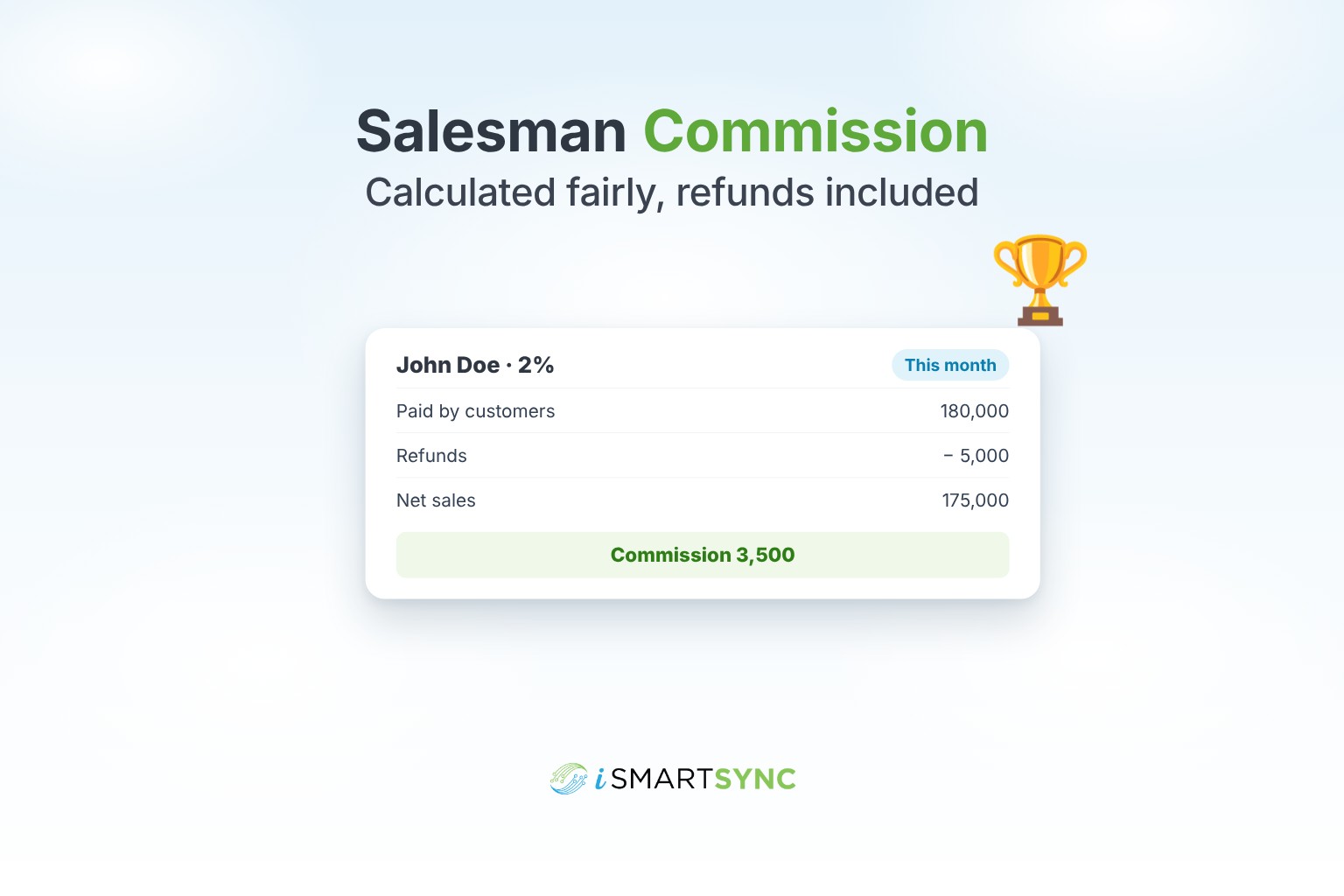
If an order is refunded, the commission on it should come off automatically. Otherwise staff are paid for sales that didn't stick, and it encourages pushy selling.
Report by person, branch and period
At the end of the month you need:
- commission per salesperson;
- the branch they sold at;
- the date range;
- an export for payroll.
Staff should be able to see the same numbers, so there are no surprises on payday.
Common mistakes
- Paying on the list price when there was a discount.
- Forgetting to take off refunds.
- Adding it up by hand from receipts.
- Not linking the salesperson to each sale at billing time. If the salesperson isn't on the order, commission can't be calculated.
How iSmartSync does it
iSmartSync uses one flat commission percentage per salesperson. Commission is calculated on what the customer actually pays, after discounts, loyalty redemptions and taxes, and refunds reduce it automatically. You can view totals by salesperson, branch and date range, and export summaries for payroll.
See salesman commission management, or start your 7-day free trial. No card needed.
Common questions
Should commission be on the price before or after discount? After discount. Paying on money you didn't receive costs you twice.
What happens to commission when an item is refunded? It should come off. In iSmartSync it is reduced automatically.
Can different products have different commission rates? In iSmartSync, no. Each salesperson has one flat rate, which keeps payouts simple and easy to check.
How do I pay commission across branches? Report by salesperson and branch, then export for payroll.