For most Shopify stores in Pakistan, cash on delivery is still the main way customers pay. The customer pays the rider, the courier collects the money, and some days later the courier sends it to your bank account in one lump sum.
That last step is where money quietly goes missing. One transfer covers dozens or hundreds of parcels. Some delivered parcels are not in it yet. A few never appear at all. Unless somebody checks every line, nobody notices.
This guide explains COD reconciliation in plain words and shows a simple way to do it every week.
What COD reconciliation means
Reconciliation simply means matching two lists:
- What you expect. Every parcel that was delivered, with the COD amount the customer paid.
- What you received. The courier's payment report, which lists the parcels included in each transfer.
Anything on the first list that is not on the second is money you are still owed. Anything paid at a different amount needs a question to the courier.
Why stores skip it
Doing this by hand is slow. You download the courier's report, open your orders in another sheet, and look up tracking numbers one by one. With two couriers and a few hundred parcels a week, it can take a full afternoon.
So many stores skip it and trust the total. The total usually looks about right, which is exactly why small gaps survive for months.
The three gaps to watch for
Delivered but not paid. The parcel shows as delivered, but it has not appeared in any payment yet. A few days of delay is normal. Weeks is not.
Paid a different amount. The courier paid less than the COD amount on the order. Sometimes that is a deduction you agreed to, such as delivery charges. Sometimes it is an error.
Returned but counted as sold. The parcel came back, but your records still treat it as a sale. Your sales look higher than the cash you actually have.
A simple weekly routine
You do not need an accountant for this. You need one fixed time each week and one place where your orders and payments meet.
- Pick a day. Most couriers send payments on a weekly cycle. Check the day after the payment arrives.
- Import the courier's payment report. Use the file the courier sends you, not a summary.
- Match by tracking number. Tracking numbers are unique, so they are the safest way to match.
- Mark the matched parcels as paid. Now they are off your list for good.
- Look at what is left. Sort the unpaid, delivered parcels by date. Anything older than your courier's normal cycle goes in a message to your courier account manager.
How iSmartSync does it
If you book couriers in iSmartSync, each parcel already has its tracking number, COD amount and delivery status saved. That makes the first list automatic.
The COD report shows every COD parcel and whether it has been paid. To fill in the second list:
- For TCS, upload the weekly Payment Details Excel file that TCS sends you. iSmartSync reads it, matches each line to your parcels by tracking number, and shows you what matched before you confirm.
- For Trax, payment details come straight from Trax, so there is no file to upload.
You can also mark a single parcel as paid by hand, for example when a courier settles one parcel separately.
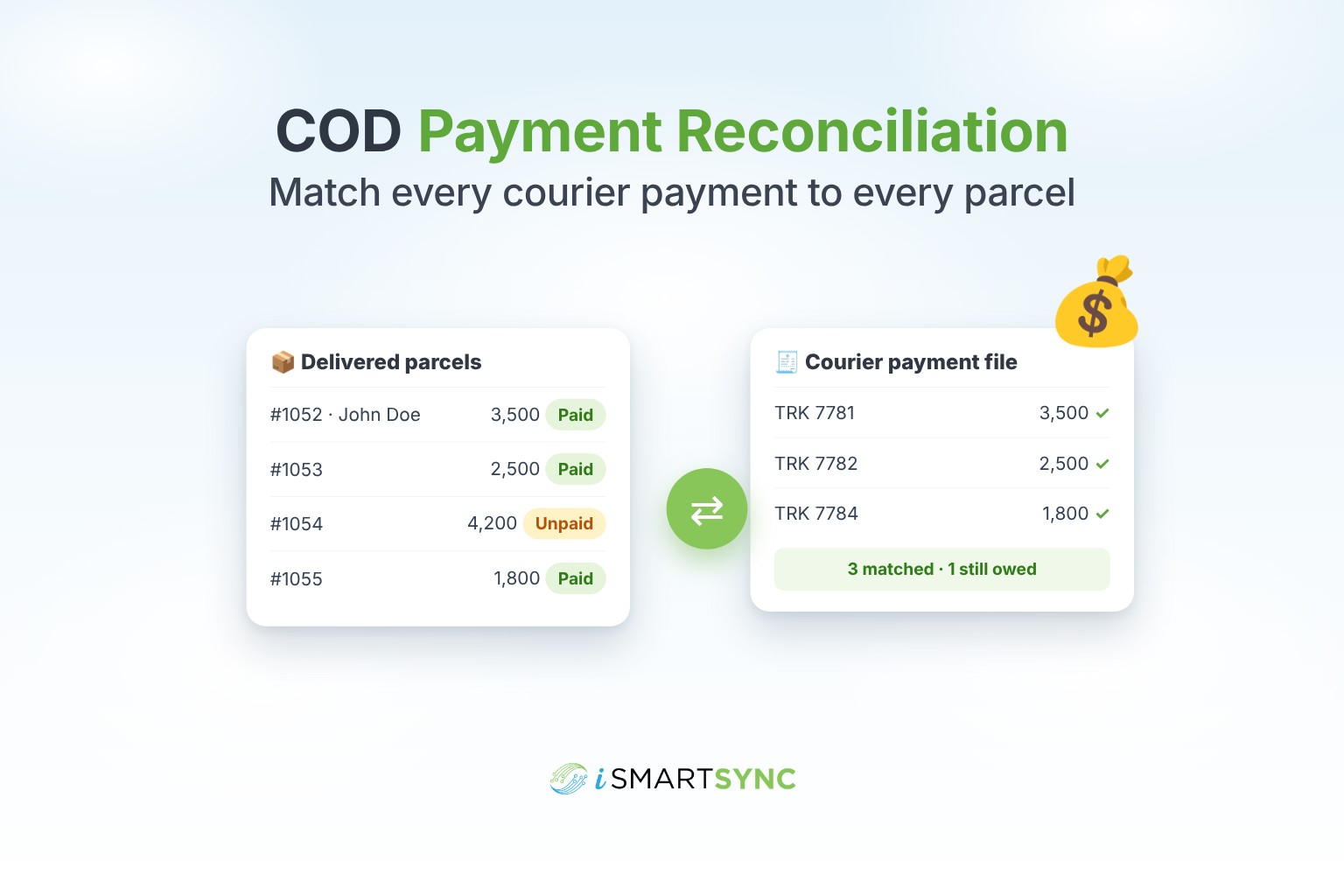
Here is what that looks like in practice. John Doe's parcel was delivered on Monday with a COD amount of 3,500. On Friday you upload the courier's payment file. His parcel is in it at 3,500, so it is marked paid. Two other parcels delivered the same Monday are not in the file. They stay on your unpaid list, and you know exactly which tracking numbers to ask about.
Tips that save money
- Keep the courier's files. Save every payment report in one folder. If there is a dispute months later, you have proof.
- Check delivery charges separately. If your courier deducts its charges from the COD amount, know the agreed rate so you can spot wrong deductions.
- Do not wait for month end. A weekly check finds problems while the courier can still trace them.
- Watch returns closely. A returned parcel should come back to your branch and its stock should go back on the shelf.
The short version
COD money comes back in batches, and batches hide gaps. Match every payment to every parcel by tracking number, once a week, and chase anything older than your courier's normal cycle. When booking, delivery status and payments live in the same place, this takes minutes instead of an afternoon.
Read how booking works on the courier booking page, or start your 7-day free trial.