If you run a Shopify store in Pakistan, you probably know this routine well. An order comes in. Someone opens the courier portal in another tab. They copy the customer name, phone, address, city and COD amount. They paste it in, book the parcel, copy the tracking number back into Shopify, and then do it all again for the next order.
On a quiet day that is annoying. On a sale day with two hundred COD orders, it is hours of work, and every copy and paste is a chance to get something wrong.
Most stores try to fix this with a separate courier app from the Shopify App Store. That helps with booking, but it adds another monthly bill and another screen, and the courier app has no idea which branch actually has the stock.
This guide explains a simpler way: booking couriers from the same place where you pack the order.
Why copy and paste booking breaks down
Manual booking looks cheap because nobody pays for it directly. The cost hides in three places.
Time. Booking one parcel by hand takes one to three minutes. Multiply that by your daily orders and it is easily a full staff member during busy weeks.
Mistakes. A wrong digit in the phone number, a missing house number, the wrong city selected in a dropdown. Each one turns into a failed delivery, a return charge, and an unhappy customer.
No link to stock. The courier portal does not know what your branches hold. If a parcel is booked from Branch 1 but packed at Branch 2, your branch stock is now wrong in two places.
What a courier app fixes, and what it does not
Courier apps on Shopify do solve the copy and paste problem. You pick orders, click book, and the app sends the details to the courier.
But if you also sell in physical branches, a courier app is only half the picture:
- It does not know which branch packed the order.
- It does not reduce branch stock when the parcel leaves.
- It does not connect to your POS, transfers, returns or COD reports.
- It is one more subscription on top of your POS.
So you end up with a POS for the counter, a courier app for parcels, and maybe a tracking app for customers, with your team jumping between all three.
The better flow: pack first, then book
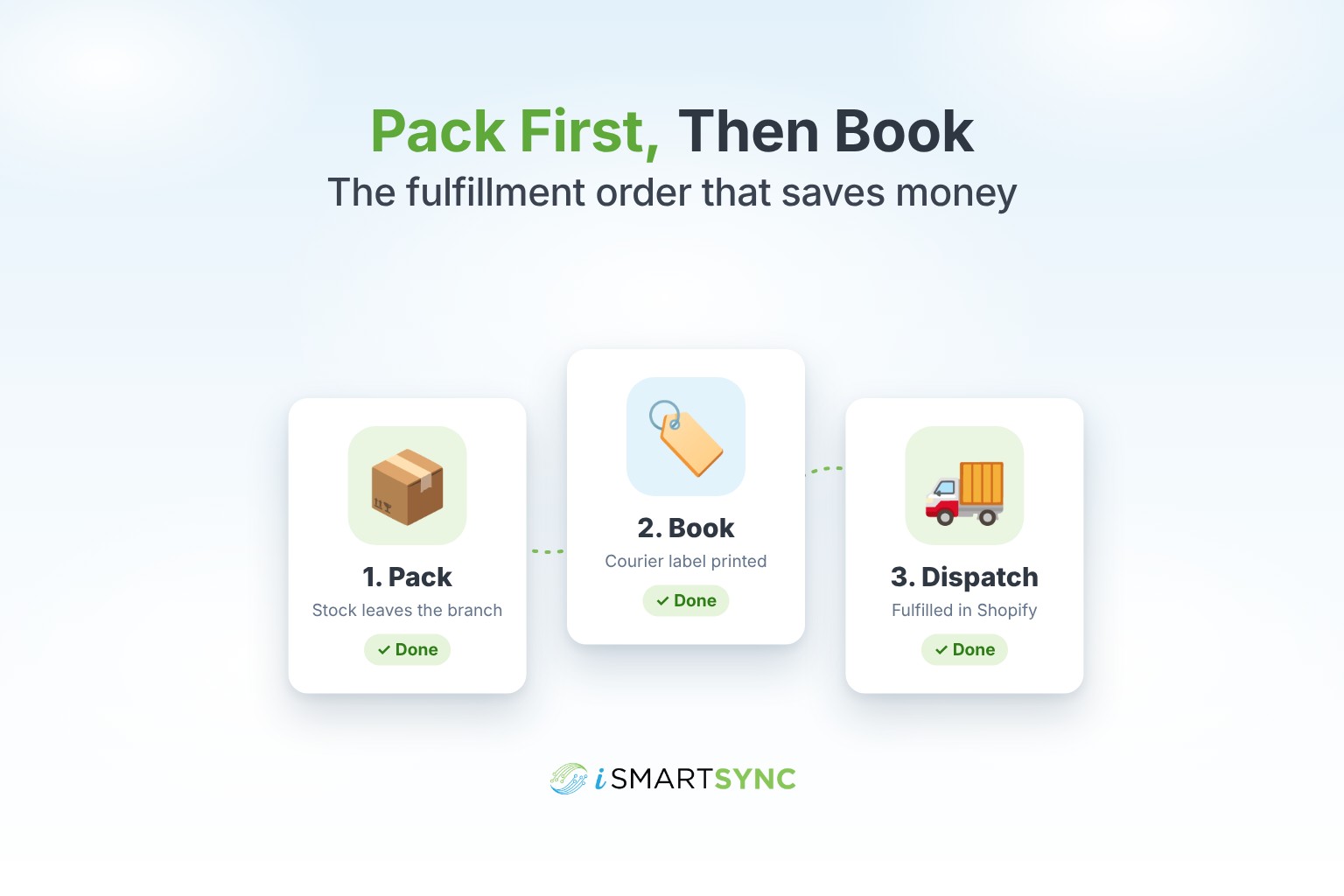
Large warehouses follow a simple rule: pack the order first, then book the courier. You only book a parcel once the items are physically in the box. That way the booking always matches what is actually leaving.
In iSmartSync, this is how it works:
- A Shopify order arrives and shows up in your orders list.
- Staff choose the branch that has the stock and pack the order. Stock leaves that branch at this moment.
- They pick the courier and book. Name, phone, address, city, COD amount and item details are sent automatically.
- The tracking number is added to the Shopify fulfillment, so the customer gets it straight away.
- Labels and the load sheet are ready to print for the rider.
No courier portal, no copying, and branch stock stays correct.
Which couriers can you book?
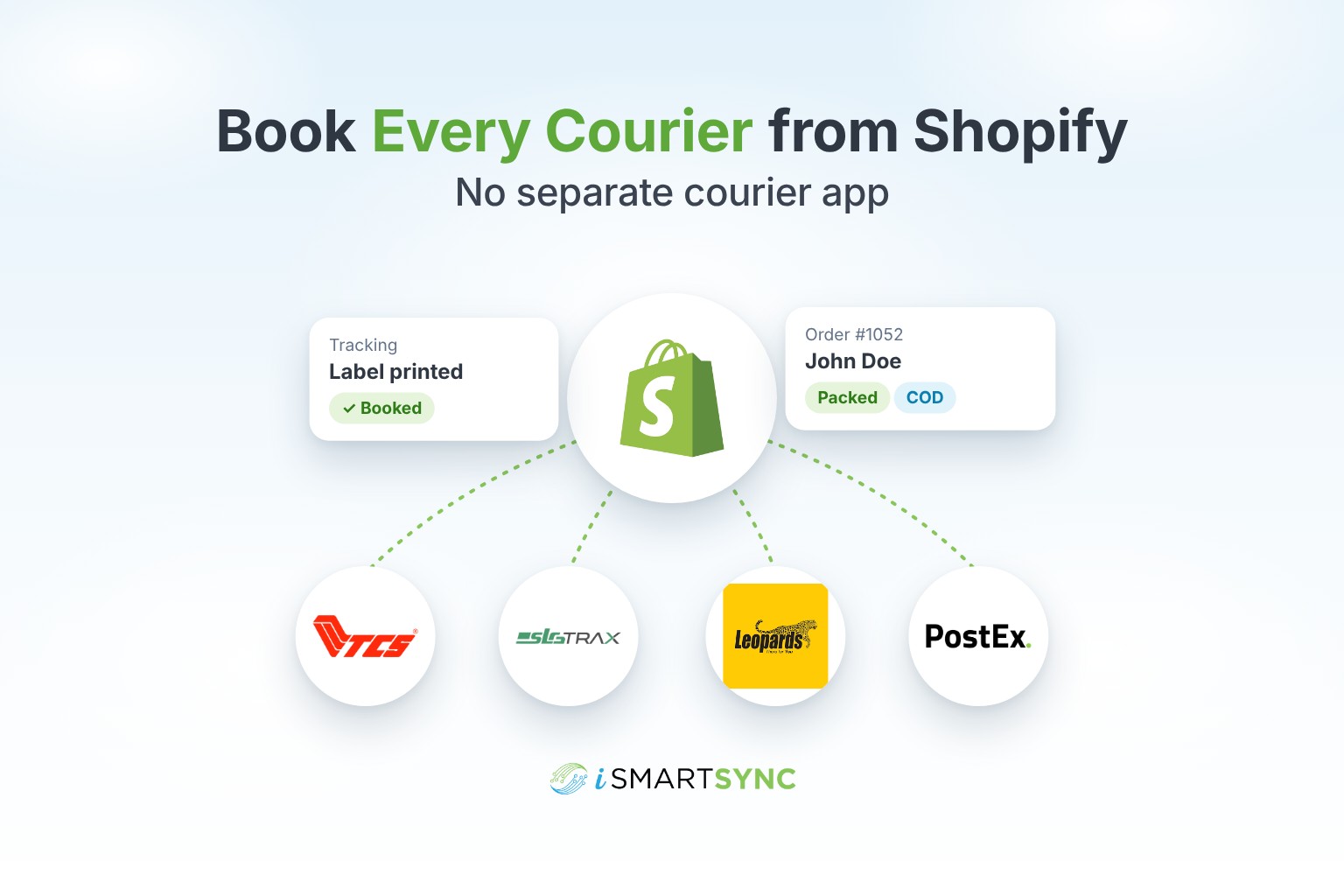
iSmartSync works with all major couriers in Pakistan, including TCS, Trax, Leopards, PostEx, M&P, BlueEx, eCourier and Swyft. You connect your own courier account once, using the API key from your courier portal. Your rates and your contract with the courier stay exactly the same.
If you use more than one courier, for example TCS for Karachi and Trax for the rest of the country, you can connect both and choose per order.
Booking a whole day of orders at once
Booking one parcel at a time is fine for ten orders. It is not fine for two hundred.
With bulk booking you select the packed orders, choose the courier, and book them in one go. Then you print every label and the load sheet in one click and hand the stack to the rider.
This is what turns a sale day from a late night into a normal shift.
WhatsApp, Instagram and phone orders too
Many Pakistani stores take a big share of orders outside the Shopify checkout: WhatsApp messages, Instagram DMs and phone calls. These orders need couriers too.
In iSmartSync you create these as Manual Fulfillment orders, ship them from a branch, and book the courier with the COD amount, exactly like a Shopify order. Everything ends up in the same list, with the same labels and the same tracking.
Checks before you book
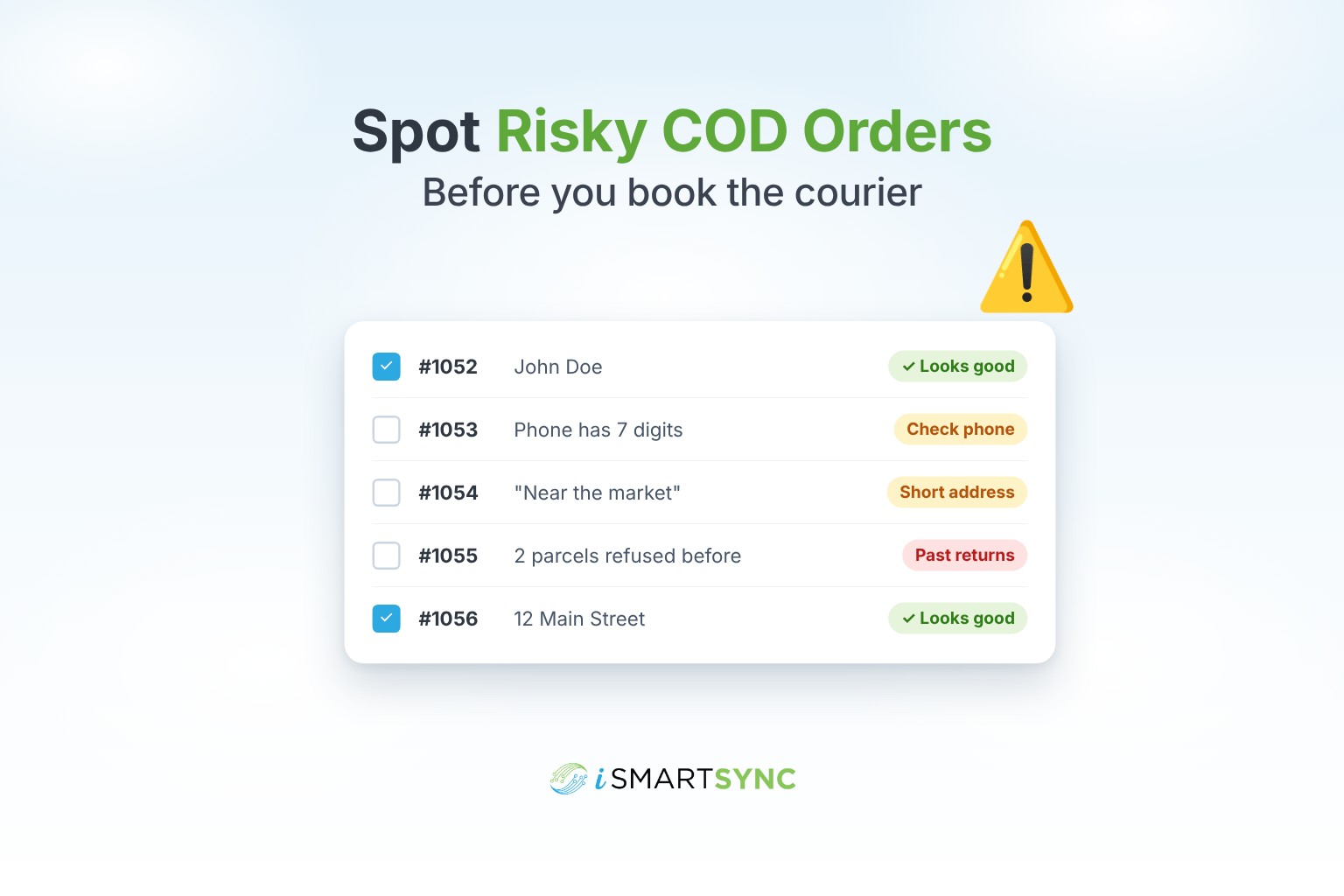
A good booking flow catches problems before the parcel leaves, not after it comes back. Before booking, iSmartSync warns you about:
- a missing or badly formatted phone number
- a very short or incomplete address
- a city the courier may not recognise
- a customer with a history of refused or returned orders
- an order that has already been booked
These are warnings, not blocks. Your team decides, but now they decide with the facts in front of them.
After booking: status, tracking and COD
Booking is only the start. After the parcel leaves:
- Courier status syncs back into your orders, so you can see what is in transit, delivered or returned.
- Customers track on your own store with a branded tracking page, instead of being sent to the courier website.
- COD payments are matched when the courier pays you, so you can see which parcels are paid and which are not.
We cover each of these in more detail in this series.
What this means for your team
Here is what changes on a normal day:
| Before | After |
|---|---|
| Copy each order into the courier portal | Book from the packed order |
| Paste tracking numbers into Shopify by hand | Tracking added to Shopify automatically |
| Separate courier app subscription | Courier booking built into your POS |
| Branch stock fixed later in a spreadsheet | Stock leaves the branch that packed it |
| Labels printed one by one | All labels and the load sheet in one click |
Getting started
If you already have a courier account, setup takes a few minutes: connect the account with its API key, choose your pickup address, and you can book your first parcel from a packed order.
See how it works on the Courier Booking page, or read how orders are packed and dispatched on Shopify Order Fulfillment.
Final thoughts
Courier booking should not be a separate job done in a separate tab. When booking happens at the moment of packing, from the branch that actually holds the stock, you save hours every week, make fewer mistakes, and stop paying for an extra app.
Your Shopify store, your branches and your courier, in one app.
Ready to try it? Start your 7-day free trial.