The internet always seems to drop at the busiest moment: a queue at the counter, a power cut, or the mobile data running out. If your billing app stops working, you go back to a notebook and type everything in later, which is where mistakes and missing bills come from.
An app that works offline keeps the counter moving. Here's what that really means, and what to check before you trust it.
How offline billing works
A cloud app that needs the internet sends every bill to the server the moment you press save. If the connection is gone, the bill can't be saved.
An offline-first app works the other way round:
- The bill is saved on the phone or computer first, straight away.
- It goes into a queue of changes waiting to be sent.
- When the internet comes back, the queue is sent to the server automatically.
- Changes made on your other devices come back the same way.
So the shop never waits for the internet. The internet only decides how quickly the other devices find out.
What to check before you trust it
Can you make a full bill offline?
Not just a draft. Search, barcode scan, customer, discount, payment and printing should all work without internet.
Does it show what is waiting?
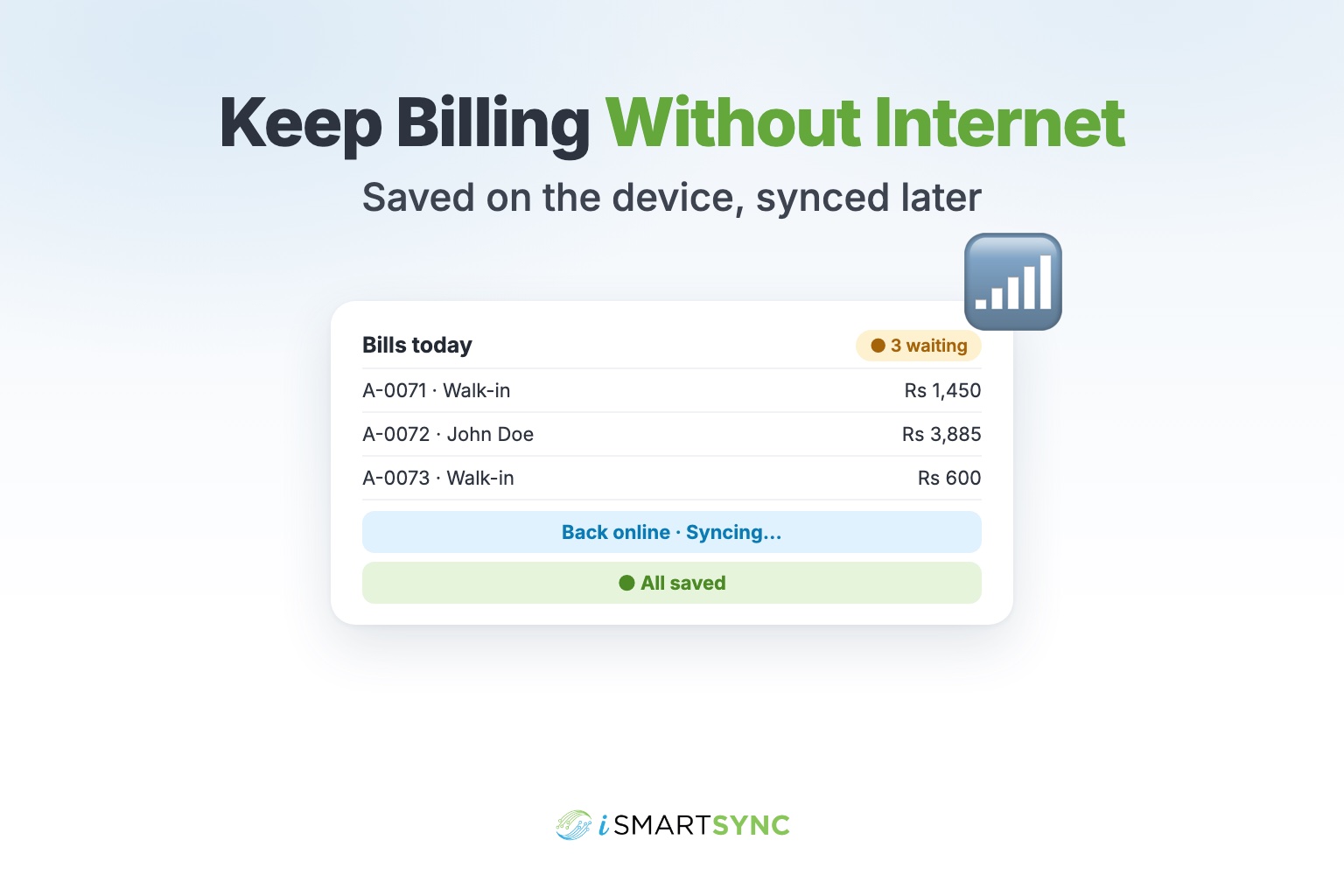
You should always see whether everything is saved, how many changes are waiting, and whether it is syncing. A small status at the top of the screen is enough.
Are bill numbers safe?
If two phones make bills offline at the same time, they must not both create "Bill 105". A good app gives each device its own series, so numbers never clash.
What if two people change the same thing?
For example, one phone changes an item's price while another changes its name. A good app keeps both changes. When the same field is changed twice, it keeps the newest and records the other, so nothing disappears silently.
Does stock stay correct?
If two devices sell the last piece while offline, stock will go below zero once they sync. The app should flag it so you can check, not hide it.
Is logging out safe?
Logging out with unsent bills should warn you first, so a day's work isn't wiped from the phone.
Good habits for offline days
- Let the app sync before closing for the night. A quick look at the status is enough.
- Keep phone date and time on automatic. Sync uses the device clock to decide which change is newer.
- Don't share one login between two phones. Each device and each person should have their own.
- If a printer is connected over Wi-Fi, check it works without internet too. Many printers do.
How iSmartSync Lite does it
iSmartSync Lite is built offline-first. Bills, payments, purchases and stock changes are saved on the device and sync when the internet is back, to every phone and computer in your shop. Each device gets its own bill series, so numbers never clash. The top of the screen shows "All saved", how many changes are waiting, or "Syncing…". When two devices change the same record, both changes are kept where possible, and anything that needs a look, like stock going below zero, appears in a "Needs checking" list.
You can try it in the live demo on the iSmartSync Lite page: turn the internet off, save a bill, and turn it back on. Every new shop gets a 14-day free trial.