The receipt is the one thing every customer takes home. A clear one prevents arguments at the returns desk. A messy one, with cut-off names and a missing phone number, does the opposite.
Here is what a good thermal receipt should show and how to set it up.
What every receipt needs
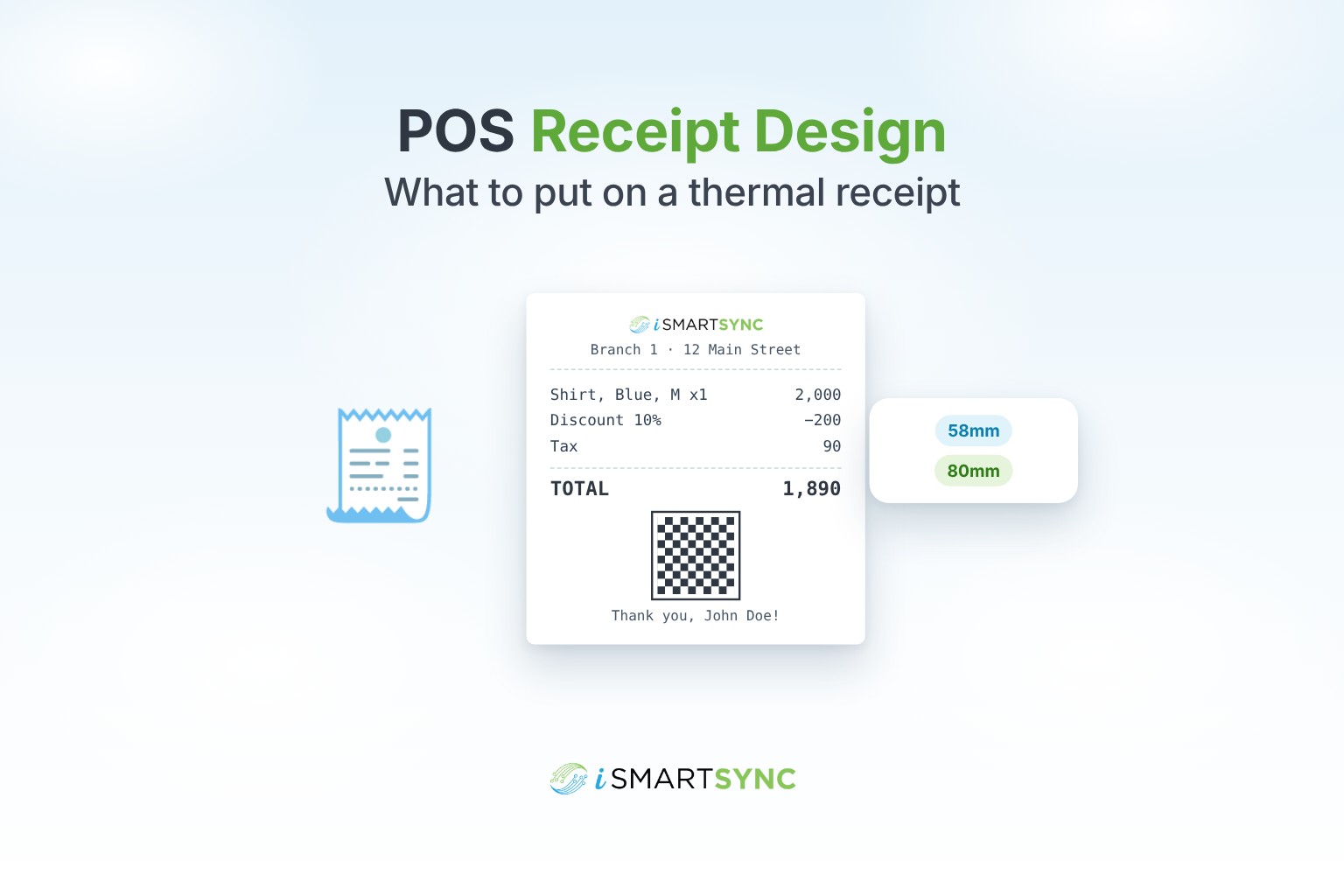
- Your logo and store name, at the top.
- Branch name, address and phone, so the customer knows where to come back.
- Order number, date and time.
- Cashier or salesperson name.
- Each item with variant, for example "Shirt, Blue, M", plus quantity and price.
- Discounts shown line by line, not hidden in the total.
- Subtotal, tax and total.
- How the customer paid: cash, card or bank, and change given.
- Your return or exchange policy, in one or two lines.
- A footer message: thanks, social handles or your website.
Useful extras
- A QR code or barcode for the order, so staff can find it quickly for a return.
- Tax authority QR code, where your country's rules require one.
- Loyalty points earned and balance.
- Customer name, for example John Doe, on account sales.
58mm or 80mm?
- 58mm printers are small and cheap. Fine for short receipts, but long product names wrap and columns get tight.
- 80mm gives room for item, quantity and price columns side by side. Most retailers with variants prefer it.
Whichever you choose, set up your receipt layout for that exact width and test print before going live.
Branding per branch
If your branches have different addresses, phone numbers or even names, each receipt should show the right one. Use one template for the brand, with branch details filled in for each location.
Common mistakes
- Product names cut off halfway.
- Discounts hidden, so the customer can't see what they saved.
- No return policy, so every return becomes an argument.
- A logo too large or too faint to print well on thermal paper. Use a simple, high-contrast version.
How iSmartSync does it
iSmartSync includes a receipt designer for 58mm and 80mm thermal printers. Add your logo, store and branch details, social links and a custom message, toggle sections, adjust columns and preview live before printing. Receipts can show product barcodes, order QR codes and FBR QR codes where they apply. Use one template for all branches or customise per location.
See thermal receipt and invoice customization, or start your 7-day free trial. No card needed.
Common questions
What size thermal printer is best for retail? 80mm for most shops, because it fits item, quantity and price columns. 58mm suits short receipts.
Should discounts show on the receipt? Yes, line by line. It builds trust and makes returns easier.
Can each branch have its own receipt details? Yes. Use one template with each branch's address and phone, or a separate template per branch.
Why does my logo print badly? Thermal printers print in black only. Use a simple, high-contrast logo.
Running a shop that isn't on Shopify? iSmartSync Lite prints bills on 58 mm and 80 mm thermal printers or A4, in English or Urdu, with your logo, address and footer, and shares them as a PDF on WhatsApp.