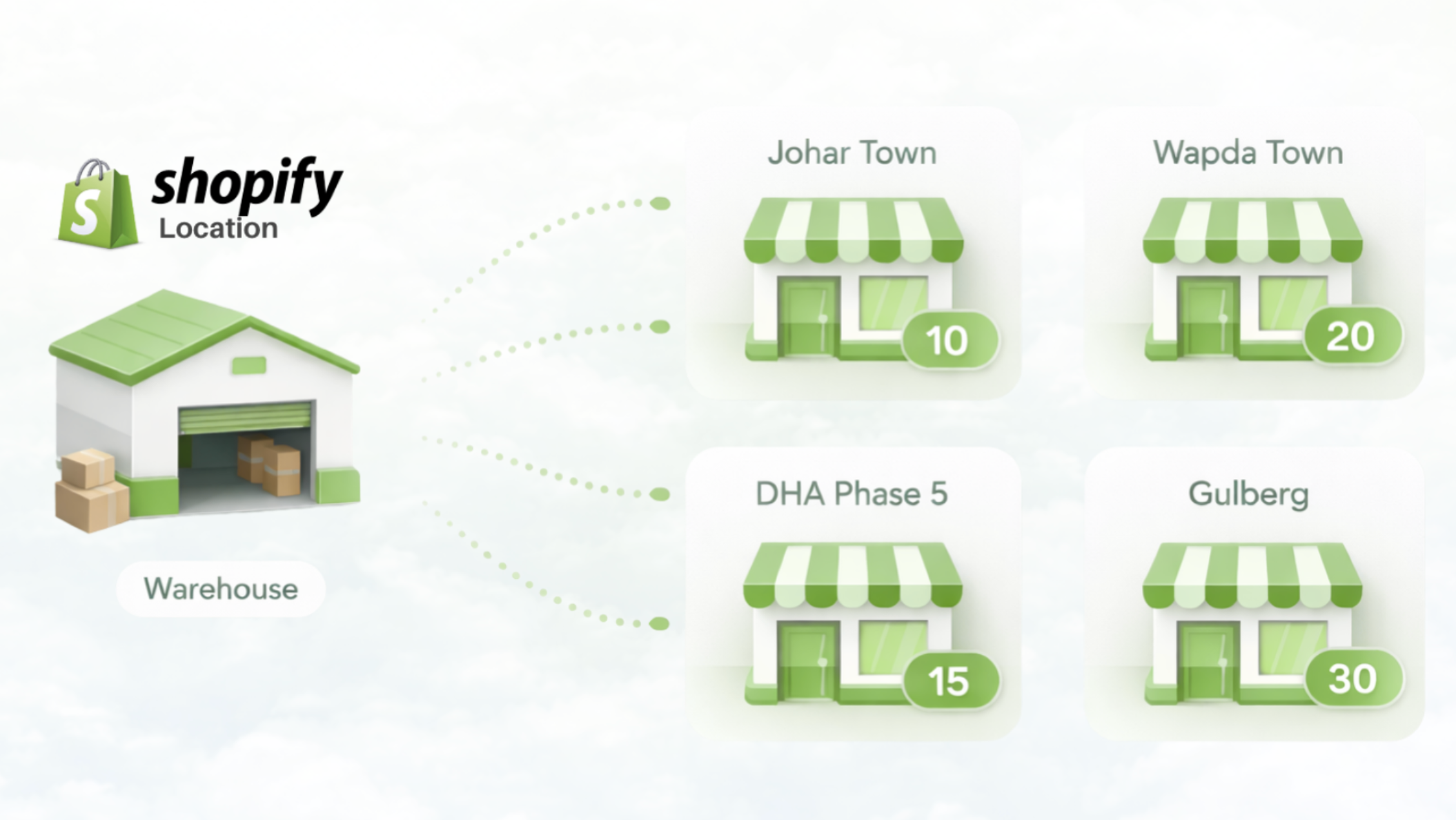
Running a retail business with more than one branch sounds simple at first. You sell online, you sell in-store, and you update stock as orders come in. But once inventory starts moving between Shopify, physical counters, warehouses, returns, and exchanges, things get messy very quickly.
That is why many growing retailers run into the same problem: stock looks correct in one place, but wrong somewhere else.
A product may appear available on Shopify, but the branch handling fulfillment is already out of stock.
A transfer may be sent from one branch to another, but the update is delayed. A return may come back into inventory, but only one system reflects it.
Over time, these small gaps create stock mismatches, fulfillment delays, and a lot of manual fixing.
The good news is that syncing Shopify inventory across multiple branches becomes much easier when the workflow is built around branch-level visibility instead of just overall stock totals.
Why Shopify inventory gets more difficult with multiple branches
A single-location setup is much easier to manage. There is only one place where stock sits, one place where sales happen, and one set of numbers to monitor.
Once a business expands to multiple branches, inventory control becomes an operational problem rather than just a product-counting problem.
Now you need to manage:
- stock available in each branch
- online orders coming from Shopify
- in-store sales reducing branch stock
- transfers between locations
- returns and exchanges
- warehouse replenishment
- low-stock visibility by location
This is where many retailers start relying on spreadsheets, manual updates, messages between staff, or delayed adjustments. That may work for a short time, but it usually breaks as order volume grows.
What Shopify multi-location inventory can do
Shopify does support multiple locations, which is a useful starting point. It allows merchants to assign inventory to different locations and gives some control over stock availability.
For many businesses, that works well in the early stage.
But once a retailer needs deeper operational control, the challenge is no longer just storing stock at multiple locations. The challenge is keeping inventory accurate while real retail activity is happening every day.
That includes situations like:
Branch-wise selling
Each branch may sell different quantities of the same product throughout the day, and stock needs to stay accurate at branch level.
Branch-based fulfillment
When an order comes in, the business may want to choose the best branch for fulfillment based on live availability.
Warehouse-to-branch flow
Some retailers keep central stock in a warehouse and distribute inventory to branches as needed.
Branch-to-branch transfers
A fast-moving product may need to be moved from one branch to another without losing visibility.
Returns and exchanges
Returned products and exchanged items can easily distort stock if they are not tracked properly.
These are the points where basic stock location setup alone often stops being enough.
To see how this fits into a retail POS workflow, take a look at Shopify Retail POS Integration.
Why stock mismatches happen between Shopify and branches
Stock mismatches usually do not happen because a retailer is careless. They happen because the workflow itself is fragmented.
Here are some of the most common reasons.
Delayed updates between systems
When online and offline sales are not reflected immediately, one system may show stock that has already been sold somewhere else.
For example, a product is sold in-store, but Shopify still shows it as available. Or a Shopify order is received, but the branch team has not yet seen the update in time.
Even small delays can create overselling or force staff to manually adjust counts later.
No clear branch-level visibility
Many businesses know their total stock, but do not have a clean view of how much is available in each branch.
That creates confusion when a customer places an order and the team needs to decide which branch should fulfill it.
Without branch-wise visibility, total inventory looks healthy on paper, but the actual selling location may already be short.
Manual transfers
When inventory is moved between branches without proper logging, the sending side and receiving side often do not stay aligned.
One branch may mark stock as sent, while the receiving branch delays confirmation. In some cases, the transfer is only communicated over WhatsApp or written in a spreadsheet.
That is where counts start drifting.
Returns and exchanges
Returns are already sensitive. Exchanges are even harder.
A returned item may need to go back into sellable stock, hold stock, or inspection stock. A replacement item may be issued from a different branch. If this flow is not tracked carefully, inventory can become inaccurate very quickly.
Spreadsheet dependency
Spreadsheets may feel flexible, but they depend heavily on people remembering to update them correctly and on time.
That usually leads to:
- duplicate edits
- missed entries
- outdated quantities
- confusion between branches
- no clear audit trail
The more branches a retailer has, the less reliable this process becomes.
What a better sync workflow looks like
The goal is not just to connect Shopify to inventory. The goal is to create a workflow where stock stays reliable across every branch and sales channel.
A better sync workflow usually includes the following.
1. Branch-wise stock visibility
You should be able to see exactly how much stock is available in each branch, not just total stock across the business.
That helps teams answer the most important operational questions quickly:
- Which branch can fulfill this order?
- Which branch is running low?
- Which location needs replenishment?
- Which branch has excess stock?
When this visibility is missing, teams start making assumptions. That is where mistakes begin.
A page closely related to this is Multi-Location Inventory Management.
2. Live inventory updates
Sales, returns, and transfers should update stock as close to real time as possible.
This is especially important when a business is selling both online and offline. Inventory cannot stay accurate if each channel is effectively working from a different version of the truth.
3. Clear transfer workflows
Transfers should not be casual or invisible. They should be logged clearly, with enough structure that the business knows:
- what was sent
- from which location
- to which location
- in what quantity
- when it was received
This keeps branch inventory aligned and makes it easier to trace discrepancies later.
For businesses moving stock between branches, Multi-Location and Branch Inventory Transfer is one of the most important related workflows.
4. Better order fulfillment decisions
When a Shopify order comes in, fulfillment should be based on actual branch availability, not guesswork.
That means the business should be able to choose the most suitable branch based on live stock, operational readiness, and order context.
This is especially useful for multi-branch retailers trying to reduce delays and avoid mis-fulfillment.
You can read more about that here: Shopify Order Fulfillment Through POS.
5. Accurate handling of returns and exchanges
Inventory sync is only reliable when post-sale workflows are reliable too.
That includes:
- returns going back into the correct stock state
- exchanged items being tracked separately from normal sales
- replacement items reducing the correct branch stock
- order history and movement history staying connected
This often gets ignored, but it is one of the biggest reasons inventory slowly becomes unreliable.
Warehouse and branch inventory should work together
For many retailers, stock does not start in branches. It starts in a warehouse or central stock location and then moves outward.
That means syncing inventory is not just about Shopify and branches. It is also about how the warehouse feeds the branches.
A healthy workflow usually looks like this:
- Stock is received or stored centrally
- Inventory is transferred to branches as needed
- Branch sales reduce local stock
- Low-stock branches are replenished based on actual movement
- Online orders are fulfilled from the most suitable available location
When warehouse and branch stock are mixed together without structure, replenishment becomes harder and availability becomes less trustworthy.
For a deeper look at that setup, see Multi-Branch Inventory and Order Management.
What retailers should look for in a syncing system
Not every inventory setup is built for multi-branch operations. When evaluating how to sync Shopify inventory across branches, retailers should look for a system that supports:
Branch-wise stock tracking
You should be able to see stock by branch, not only in total.
Shopify-connected inventory flows
Online orders and stock movements should stay aligned with branch activity.
Transfer history
Inventory moving between branches should be recorded clearly.
Operational visibility
Managers should be able to understand what changed, where it changed, and why.
Support for real retail workflows
This includes exchanges, returns, fulfillment decisions, and warehouse replenishment.
The right setup reduces manual correction work. The wrong setup creates more of it.
How iSmartSync helps retailers stay aligned
iSmartSync is built for retailers who need more than isolated stock counts. It helps businesses manage branch-wise inventory visibility, Shopify-linked stock sync, operational transfers, and day-to-day retail workflows from a more connected system.
Instead of treating inventory as one flat number, it gives businesses a better way to understand where stock actually is, how it is moving, and which branch should handle the next action.
That matters when a brand is growing, running multiple branches, and trying to avoid the usual spreadsheet-and-manual-update cycle.
To explore the main solution, visit Multi-Location Inventory Management and Shopify Retail POS Integration.
Final thoughts
Syncing Shopify inventory across multiple branches is not only about connecting software. It is about building a workflow that reflects how retail actually works.
Once a business has multiple branches, inventory accuracy depends on branch-level visibility, cleaner transfer processes, better fulfillment decisions, and reliable handling of returns and exchanges.
Retailers that get this right reduce stock mismatches, improve order accuracy, and spend much less time fixing inventory manually.
Retailers that do not usually end up chasing numbers across different systems.
If your business is growing beyond a single store, now is the right time to move from basic stock tracking to a setup built for real multi-branch operations.