

Kitchen display
Ultra planKitchen display system for restaurants
Orders reach the kitchen the moment they are taken.
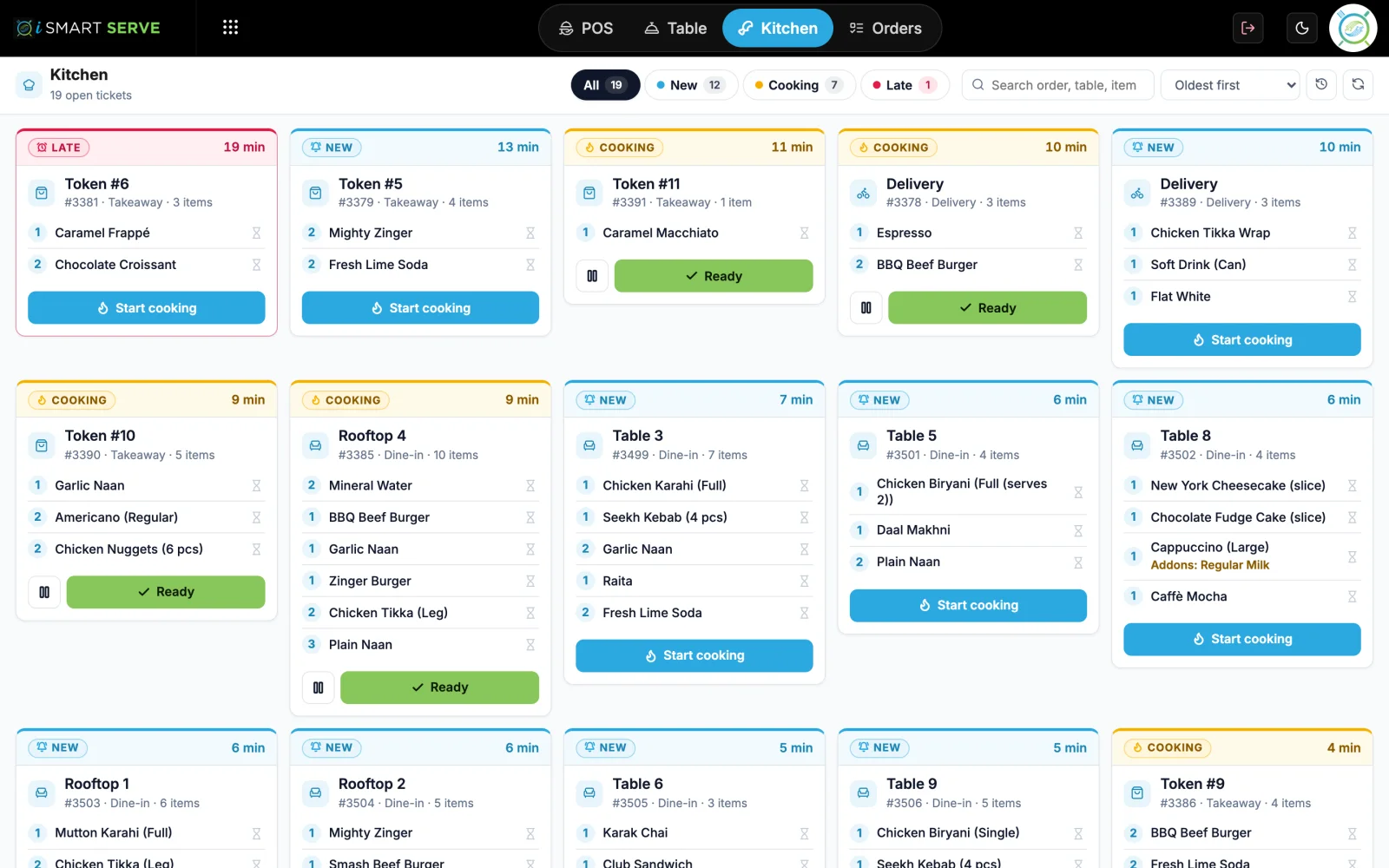
The counter sends each order to a screen in the kitchen. Cooks see what is waiting, what is cooking and what is running late, so nothing gets lost on a paper slip.
Demo login: Demo Owner, PIN 1234. No sign-up.
How it works
4 simple steps
- 1
Take the order
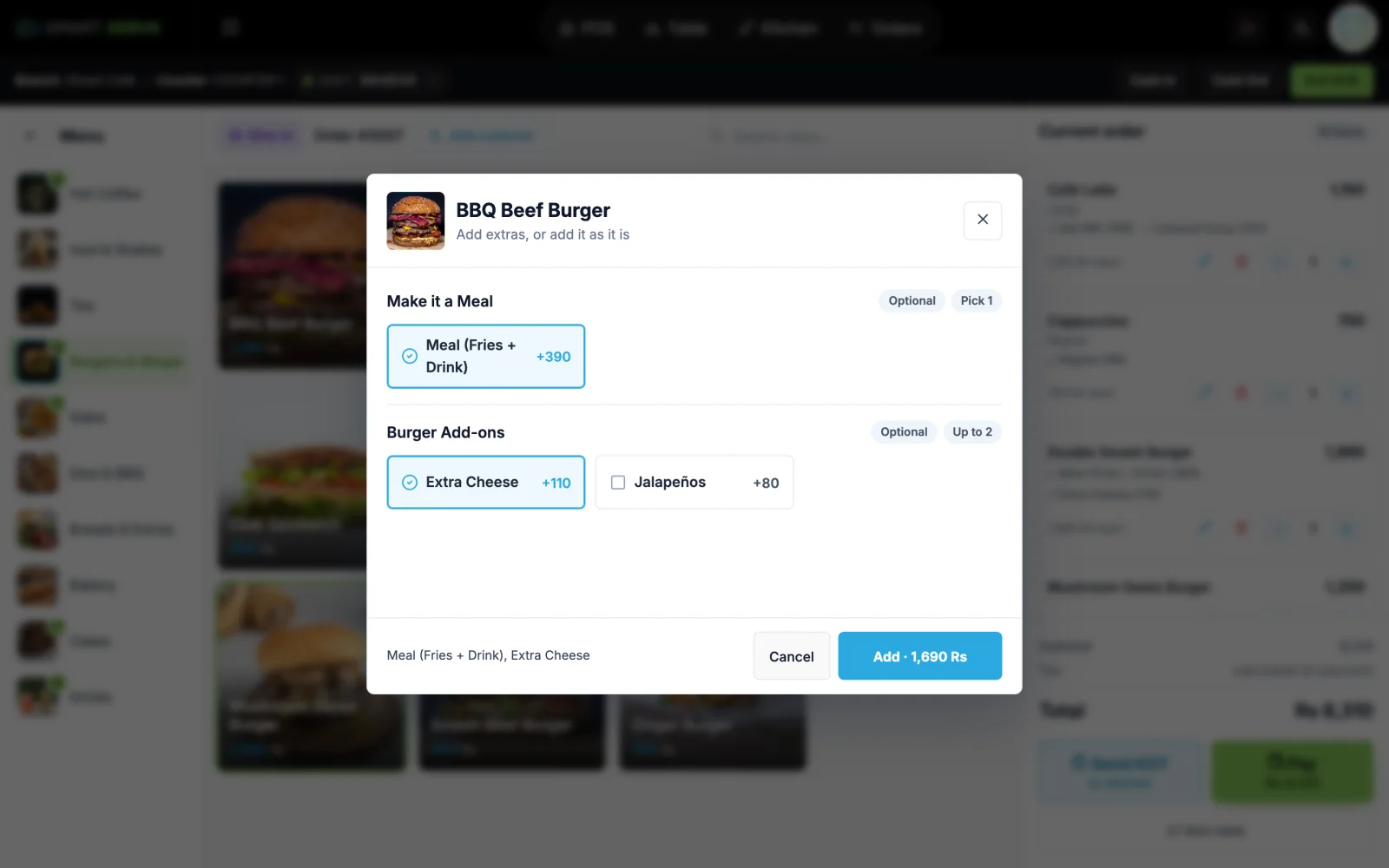
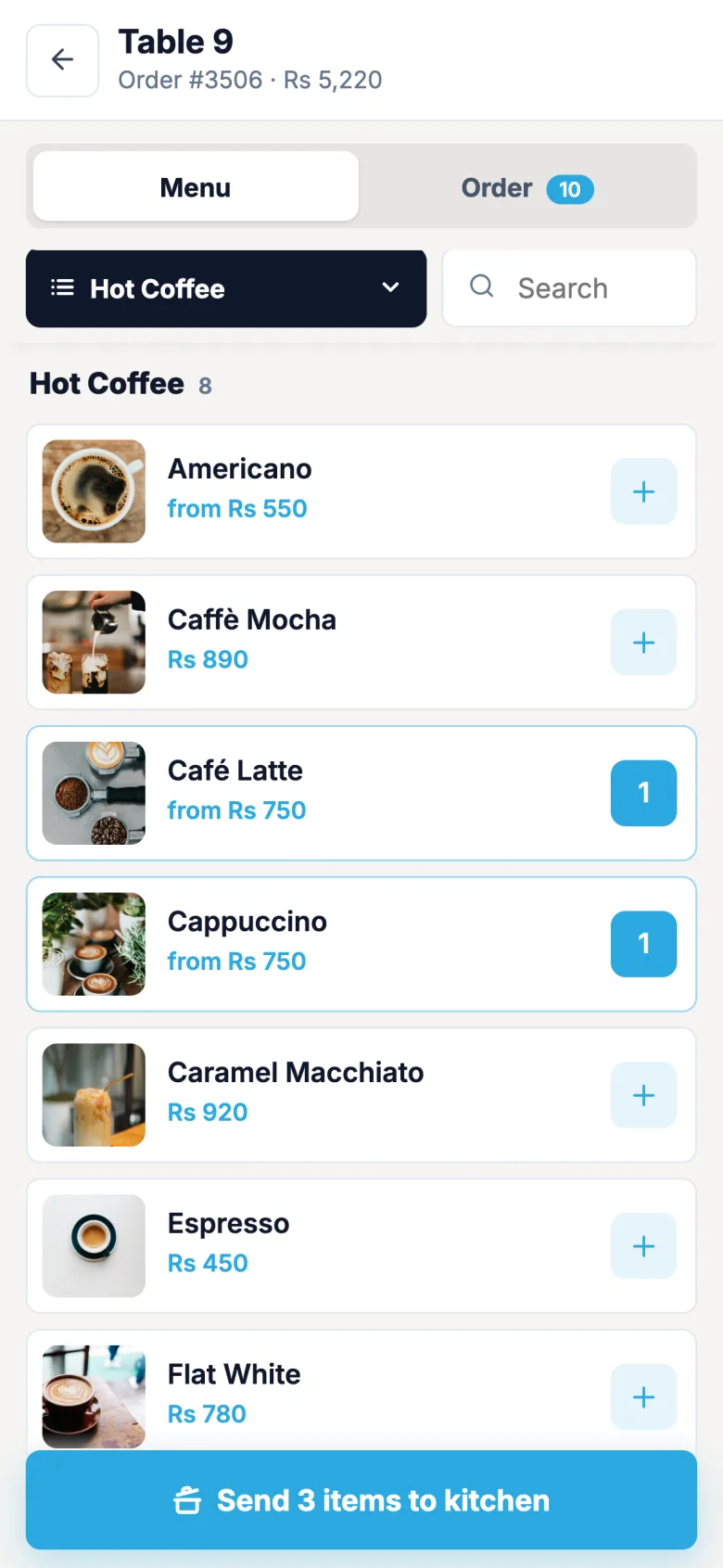
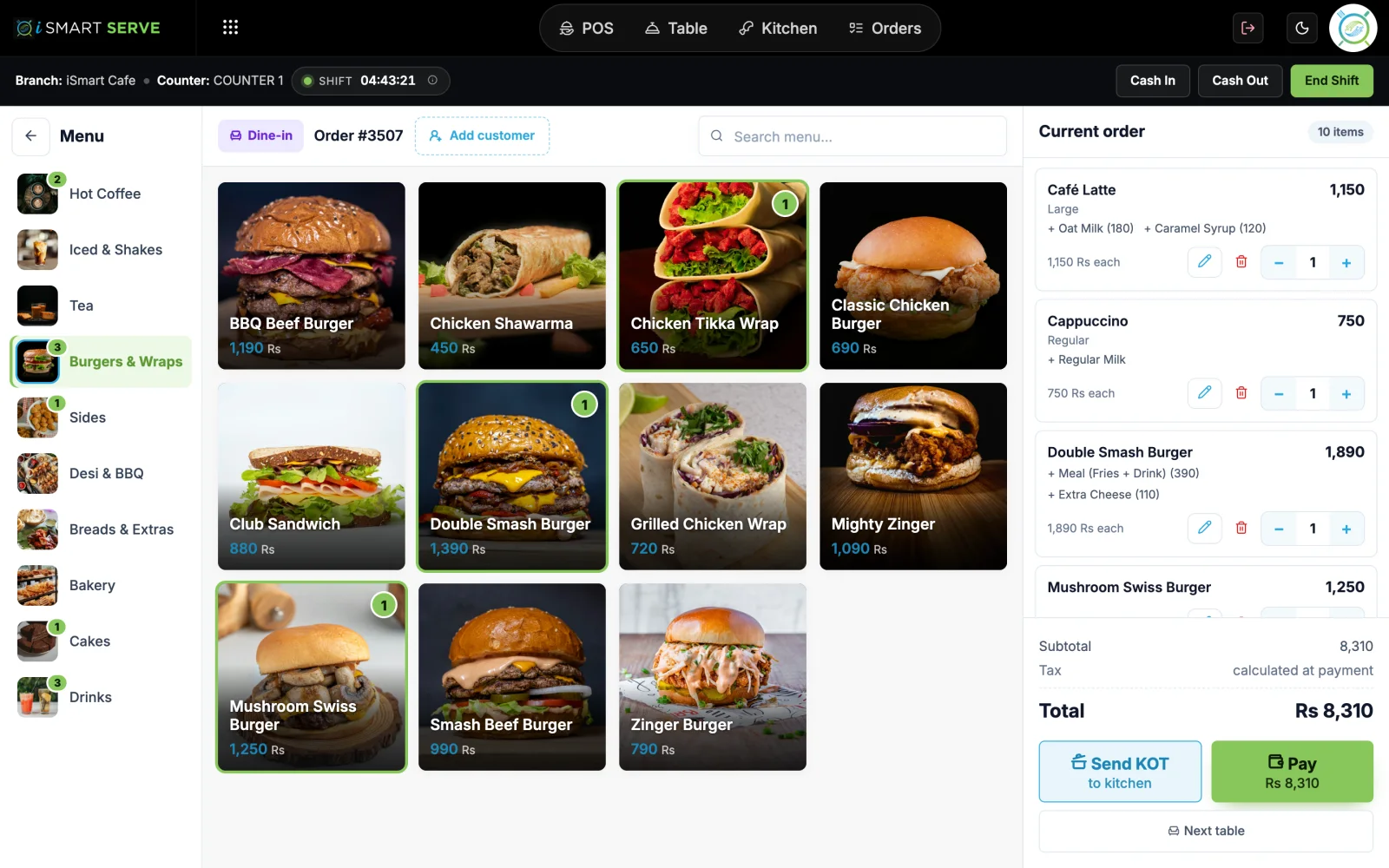
The cashier or waiter adds items with sizes and add-ons, then sends the order to the kitchen.
- 2
It appears in the kitchen
A ticket shows the table or token, items, notes and a running timer.
- 3
Cook and mark it ready
Tickets move from queued to preparing to done with one tap.
- 4
Late orders stand out
Tickets waiting over 15 minutes are flagged, so the team can act first.
What you get
Made for a busy counter
See kitchen display (kds) on the live demo
The real iSmart Serve, with a demo cafe's menu, tables and kitchen. Click around; nothing you do is kept.
Demo login: Demo Owner, PIN 1234. No sign-up.
Friday dinner rush
Twelve tables order within ten minutes. Every ticket lands on the kitchen screen with its own timer, and the two that pass 15 minutes are flagged as late so the head chef sees them before the customers ask.
FAQ
Kitchen display (KDS): questions
Short answers about how it works in iSmart Serve.
Still have questions? Talk to us.
Any screen with a browser on your shop Wi-Fi: a TV with a small PC, a tablet or a laptop.
Yes. It runs on your shop network from the counter PC, so it keeps working when the internet is down.
Yes. It runs on your counter PC, so billing, the kitchen display and waiter phones keep working on your shop Wi-Fi. Data syncs to the cloud when the internet is back.
A Windows PC at the counter and a thermal receipt printer (80 mm or 58 mm). Phones and tablets on your shop Wi-Fi can run the waiter app, the kitchen display and QR table ordering in the browser.
The Lite plan is Rs 2,999 a month and the Ultra plan is Rs 5,999 a month, per branch. Paying yearly saves 15%. Add-ons include the menu website, FBR integration and extra counters.
Yes. Open the live demo at demo.serve.ismartsync.com and sign in as Demo Owner with PIN 1234. You can also see a demo cafe website at demo.menu.ismartsync.com.
From Rs 2,999 a month per branch
Run your restaurant on iSmart Serve
Lite Rs 2,999 or Ultra Rs 5,999 a month, 15% off yearly. Try the live demo now, or talk to us and we will set it up for you.
See pricing and add-onsDemo login: Demo Owner, PIN 1234. No sign-up.
Demo cafe website: demo.menu.ismartsync.com