

QR table ordering
Ultra planQR table ordering for restaurants and cafes
Guests order from the table by scanning a QR code.
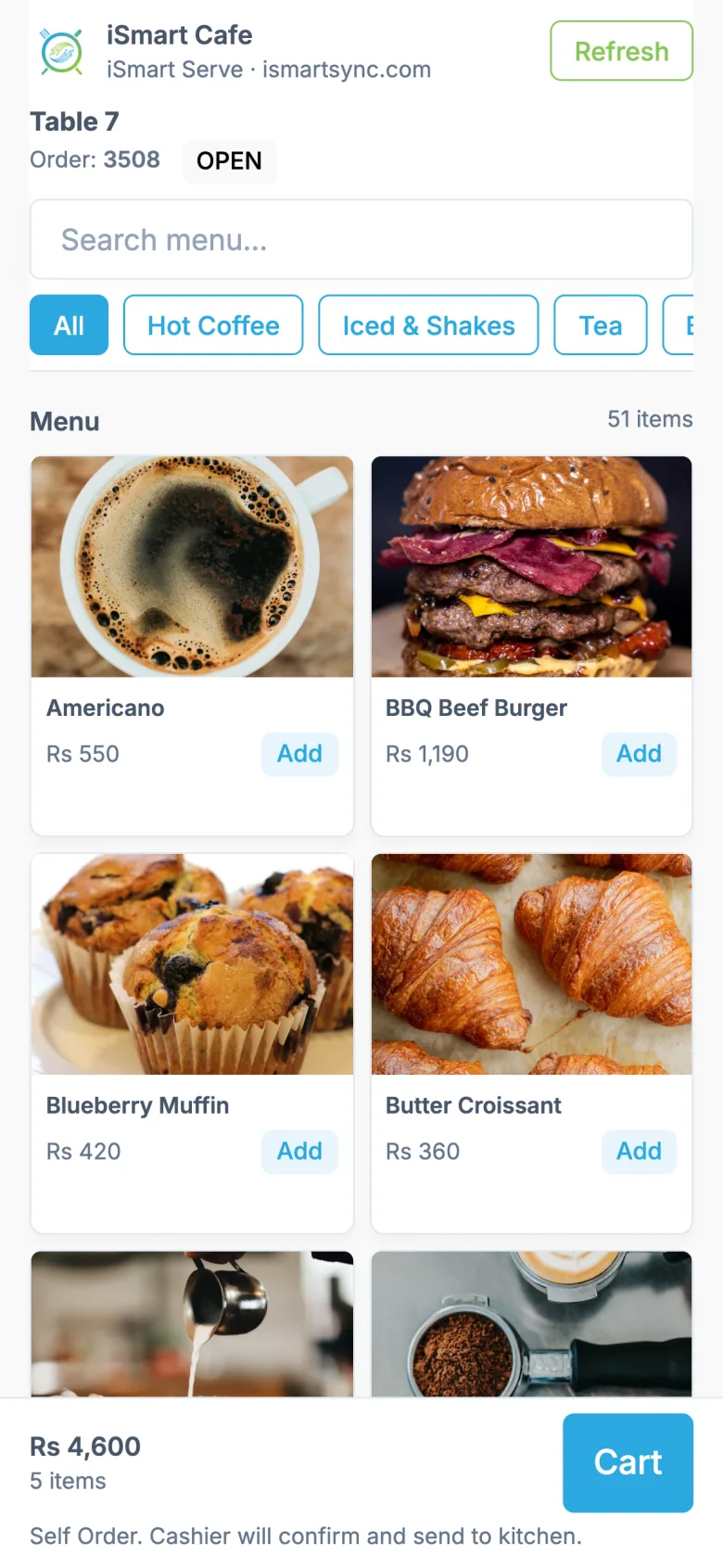
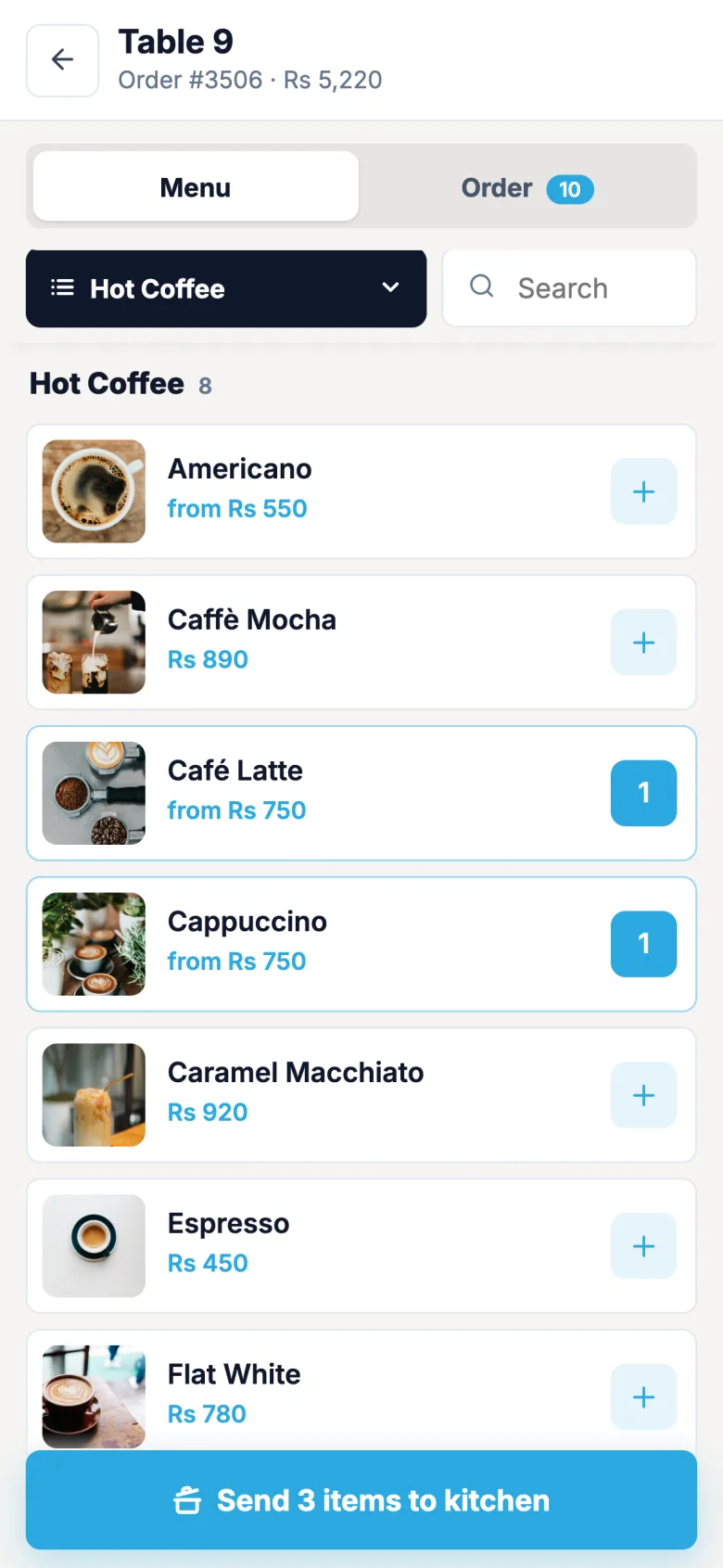
Each table has its own QR code. When the cashier seats the table, guests scan it on your Wi-Fi, browse the menu and add items to their table's order.
QR ordering runs on your shop's Wi-Fi, so guests connect to your Wi-Fi to order.
Demo login: Demo Owner, PIN 1234. No sign-up.
How it works
4 simple steps
- 1
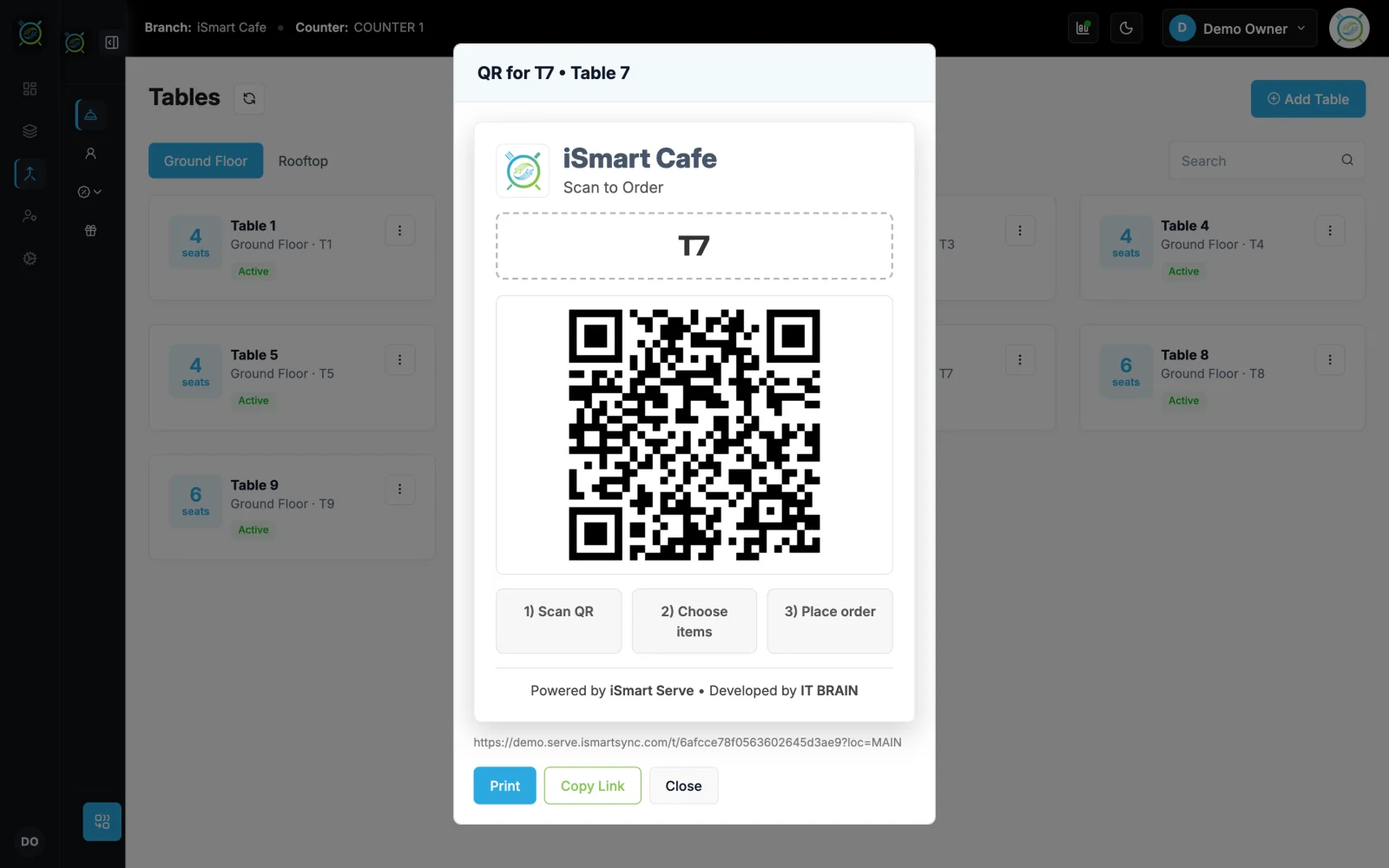
Print the table QR
Every table gets its own code from the tables screen.
- 2
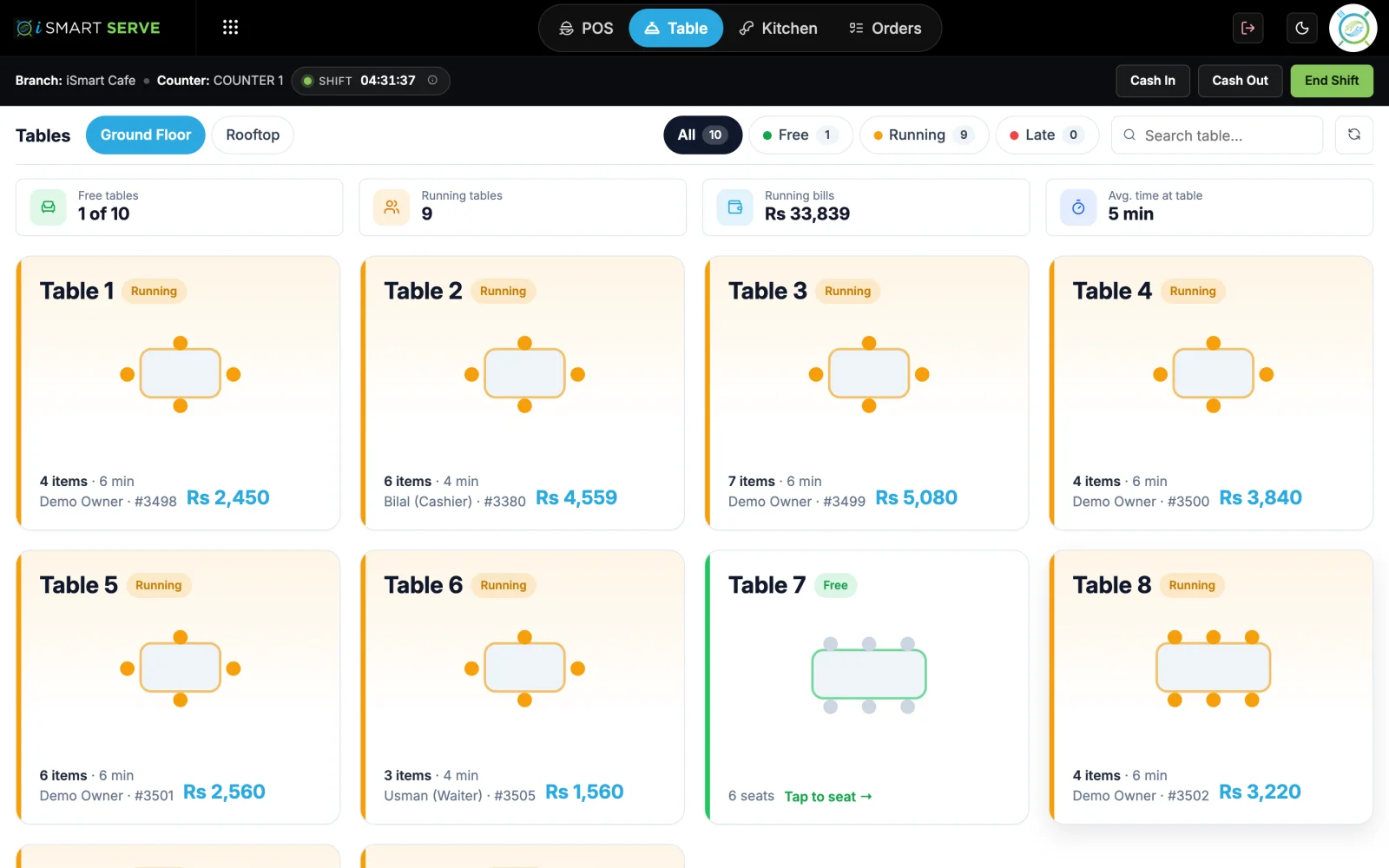
Seat the table
The cashier starts the table session, so only seated guests can order.
- 3
Guests add items
They browse with photos, sizes and add-ons and add to the table's order.
- 4
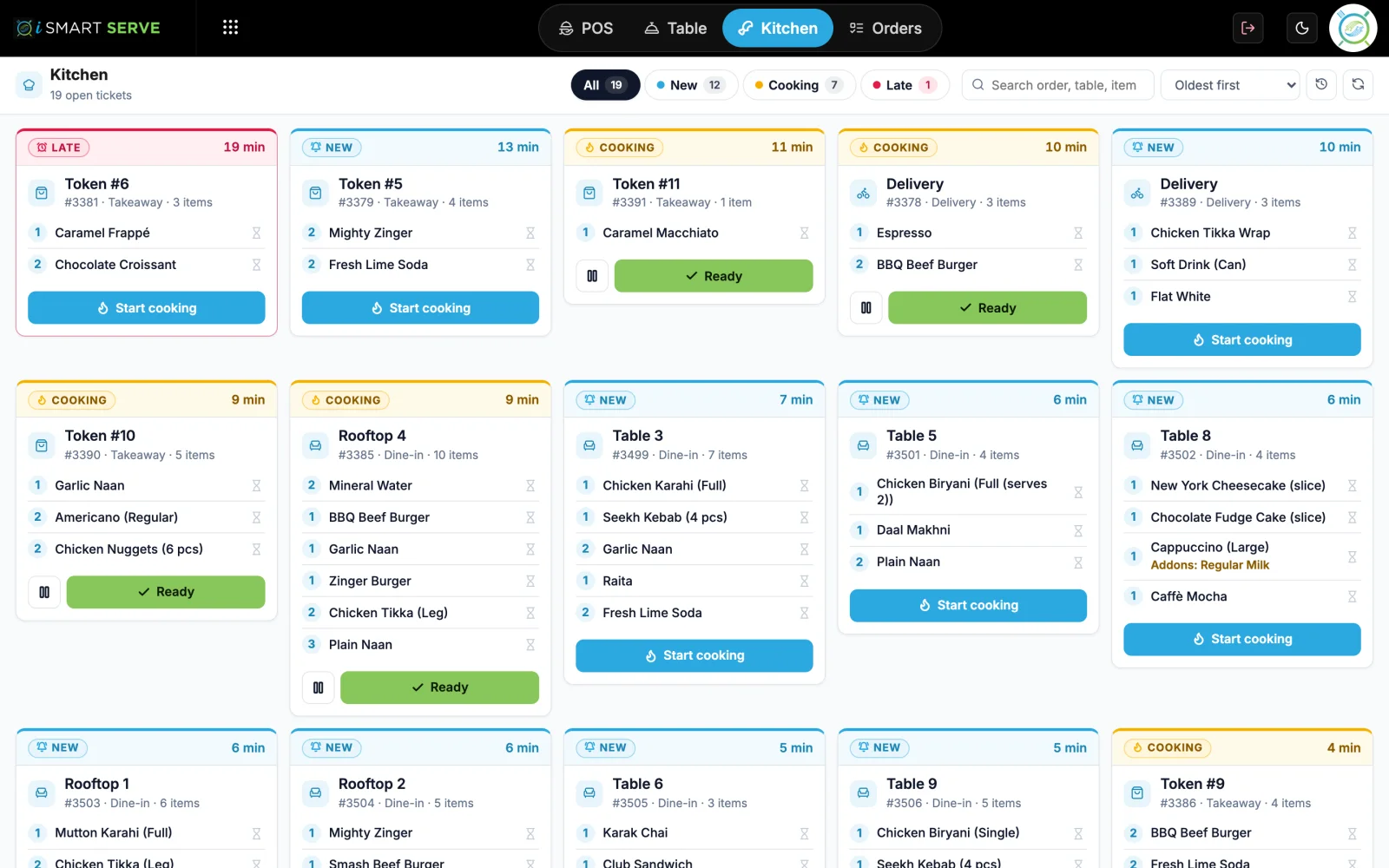
Kitchen gets the order
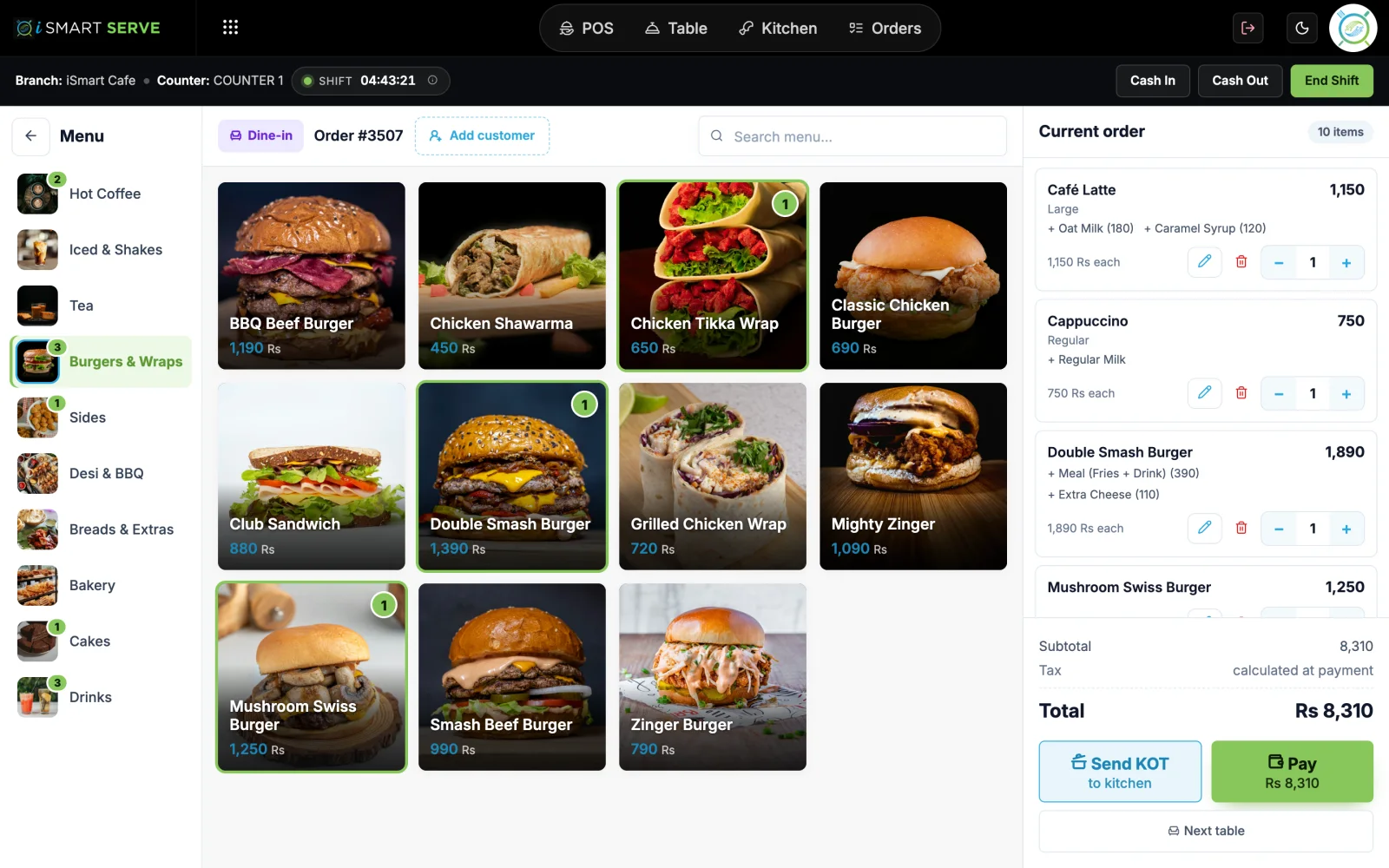
Items join the running order the staff see.
What you get
Made for a busy counter
See qr table ordering on the live demo
The real iSmart Serve, with a demo cafe's menu, tables and kitchen. Click around; nothing you do is kept.
Demo login: Demo Owner, PIN 1234. No sign-up.
A busy cafe on Saturday
Guests at table 3 scan the QR and add two cappuccinos and a croissant. A minute later they add a brownie. Both rounds join the same table bill.
FAQ
QR table ordering: questions
Short answers about how it works in iSmart Serve.
Still have questions? Talk to us.
No. They scan the table QR with their phone camera and order in the browser while connected to your shop Wi-Fi.
QR table ordering is on the Ultra plan, along with the kitchen display and the waiter app.
Yes. It runs on your counter PC, so billing, the kitchen display and waiter phones keep working on your shop Wi-Fi. Data syncs to the cloud when the internet is back.
A Windows PC at the counter and a thermal receipt printer (80 mm or 58 mm). Phones and tablets on your shop Wi-Fi can run the waiter app, the kitchen display and QR table ordering in the browser.
The Lite plan is Rs 2,999 a month and the Ultra plan is Rs 5,999 a month, per branch. Paying yearly saves 15%. Add-ons include the menu website, FBR integration and extra counters.
Yes. Open the live demo at demo.serve.ismartsync.com and sign in as Demo Owner with PIN 1234. You can also see a demo cafe website at demo.menu.ismartsync.com.
From Rs 2,999 a month per branch
Run your restaurant on iSmart Serve
Lite Rs 2,999 or Ultra Rs 5,999 a month, 15% off yearly. Try the live demo now, or talk to us and we will set it up for you.
See pricing and add-onsDemo login: Demo Owner, PIN 1234. No sign-up.
Demo cafe website: demo.menu.ismartsync.com