





Almost every shop sells on credit. A regular customer takes groceries today and pays at the end of the month, a dealer takes stock and pays next week. It keeps customers loyal. But a paper register has three weak spots: totals that are added wrong, pages that go missing, and reminders that never get sent because asking for money feels awkward.
A digital credit book fixes all three, as long as it is set up the right way.
What a good credit book does
- Adds up on its own. Every credit bill increases the balance, every payment reduces it, and returns are taken off. Nobody adds a column by hand.
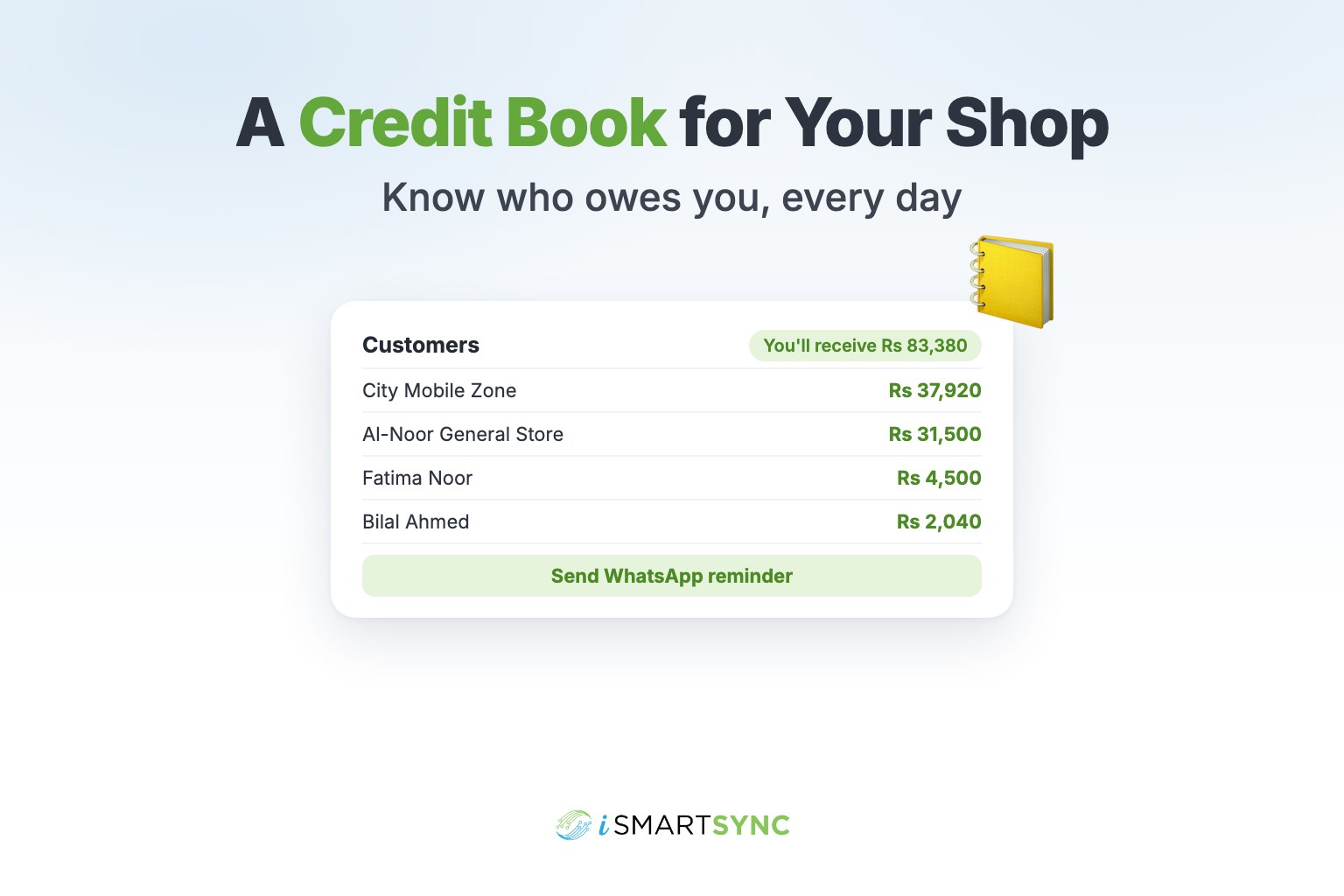
- Shows who owes you right now. One list with the biggest balances first, and a total you'll receive.
- Shows whom you owe. Suppliers belong in the credit book too, so you know your real position.
- Keeps a statement. Every entry with a date and a running balance, so a dispute is settled in a minute.
- Reminds politely. A WhatsApp message with the exact balance, sent in one tap.
Step 1: Start with opening balances
Don't try to copy years of history. For each customer, enter one opening balance: what they owe you today. Do the same for suppliers. From that day on, the app records everything.
Keep the paper register for a month as a backup, then retire it.
Step 2: Put credit on the bill, not in a separate book
The most common mistake is writing the bill in one place and the credit in another. They drift apart. Instead, when you make the bill, choose the customer and enter what they pay now: cash, bank or nothing. The rest goes on their balance automatically.
This also means the stock and the customer balances always agree, because they come from the same bill.
Step 3: Set due dates for larger amounts
For regular household customers, the end of the month is fine. For dealers and shops that buy in bulk, set a due date on the bill, such as 7, 15 or 30 days. Overdue amounts are then easy to spot.
Step 4: Send reminders without the awkwardness
Most people don't pay late on purpose. They forget. A short, friendly WhatsApp message with the exact balance works better than a phone call, and it gives the customer the number in writing. Send reminders on a fixed day, so customers expect them.
Step 5: Record every payment the same day
When a customer pays, record it immediately: cash, bank transfer, wallet or cheque. If a cheque bounces, mark it bounced so the amount goes back on their balance. Payments clear the oldest bills first, so old bills show as paid by themselves.
Step 6: Look at the ageing once a week
An ageing report groups what customers owe by how old it is: 0 to 30 days, 31 to 60, 61 to 90 and over 90. Anything over 60 days needs a conversation, not just a reminder. Stop giving more credit to customers in the oldest group until they pay.
Simple rules that protect you
- Give credit only to customers saved with a name and mobile number.
- Set a limit in your head for each customer, and look at their balance before every credit bill.
- Let salesmen make bills, but keep payments and adjustments for the owner or manager.
- Never delete an entry. If something was wrong, cancel it so the history stays clear.
How iSmartSync Lite handles customer balances
iSmartSync Lite has the credit book built into billing. Whatever a customer doesn't pay goes on their balance with an optional due date. You can see customers and suppliers side by side, send a WhatsApp reminder with the balance, share a statement PDF, record cash, bank, wallet and cheque payments, and check an ageing report. It works without internet, in English, Urdu, Arabic and Hindi.
It is used by kiryana stores, hardware stores and other shops that sell on credit every day. Every new shop on iSmartSync Lite gets a 14-day free trial.