Every multi-branch retailer eventually reaches the same moment.
One branch has too much of a product that is moving slowly. Another branch has already sold out. A customer wants the item now. Head office wants the stock shifted quickly. Someone sends a message on WhatsApp and the transfer begins.
That feels efficient in the moment.
It also creates the conditions for inventory confusion if the movement is not recorded properly.
Branch transfers are one of the most important and least structured workflows in growing retail businesses. They sit between purchasing, branch availability, fulfillment, and replenishment. When the transfer process is weak, every one of those areas becomes harder to manage.
For Pakistani retailers running Shopify alongside physical branches, this matters even more because transfer errors do not stay local. They affect online availability, fulfillment decisions, and stock confidence across the entire network.
Why branch transfers happen so often
Retail demand is not evenly distributed.
One branch sells more of a specific size. Another has a slower local market. One outlet runs a campaign that increases demand for a product category. Another receives fresh stock but does not need all of it immediately.
This is normal. It is not a sign of poor planning.
What matters is how the business responds when stock needs to move.
Branch transfers are how a retailer rebalances the network without waiting for a fresh supplier delivery. They help reduce stockouts, improve sell-through, and make better use of what the business already owns.
But that benefit depends on visibility. If a transfer is initiated casually and tracked poorly, the receiving branch may believe stock is available before it arrives, the sending branch may forget what left, and managers may no longer know which branch truly has what.
That is why transfer control belongs inside a proper multi-location and branch inventory transfer workflow rather than inside informal staff messages.
Why informal transfers create inventory drift
Most inventory drift in branch transfers comes from one of three habits.
The transfer is communicated but not logged
The staff know stock moved, but the system does not.
The transfer is deducted on one side only
The sending branch reduces stock, but the receiving branch never confirms it properly. Or the receiving branch increases stock manually without a matching outgoing record.
The transfer is assumed complete before physical receipt
The stock is treated as available at the destination while it is still in transit.
These are easy mistakes to make when the process is informal. They are also the reason branch inventory can look correct in total while being wrong in both locations individually.
The longer a retailer relies on this kind of movement, the harder it becomes to trust branch-wise stock for fulfillment and replenishment.
Why a transfer is not the same as a stock adjustment
This distinction matters more than many retailers realize.
A stock adjustment changes a number. A transfer records a movement between two places.
That movement has a story:
- which branch requested the stock
- which branch sent it
- which items and quantities were included
- when it was dispatched
- when it was received
- who handled the movement
If a business handles transfers as simple manual stock edits, all of that context disappears.
The quantities may eventually look right, but the audit trail is gone. Management cannot later answer basic questions such as why stock left a branch, whether the receiving branch actually confirmed the quantity, or whether a discrepancy happened during transit.
That is especially risky for retailers using branch stock to make Shopify fulfillment decisions. An unstructured stock adjustment may make the destination branch look ready for an order when the transfer is not actually complete.
The stages a clean transfer should have
A strong transfer process does not need to be complicated, but it should reflect the real movement of goods.
Request
The receiving branch or head office identifies the need and raises the transfer request.
Approval
Someone confirms that the sending branch can spare the stock and that the transfer makes operational sense.
Dispatch
The sending branch prepares the items and records what physically left.
Receipt
The receiving branch confirms what actually arrived.
These stages matter because they prevent the business from treating planned movement and completed movement as the same thing.
That difference is what keeps branch availability honest.
Why partial transfers and delays need visibility too
Not every transfer completes exactly as planned.
Sometimes the sending branch cannot provide the full quantity. Sometimes one item is missing. Sometimes transit is delayed. Sometimes the receiving branch notices a discrepancy on arrival.
If the system can record only perfect transfers, staff will step outside the system the moment something goes wrong.
That is the moment accuracy starts weakening.
A better workflow allows the business to record what was requested, what was dispatched, and what was actually received without forcing all three numbers to be identical.
That visibility matters because retail reality is messy. The process should be disciplined enough to track the mess, not so rigid that staff abandon it when the day becomes busy.
How transfers affect Shopify availability and fulfillment
For Shopify-connected retailers, transfer visibility is not only an internal stock concern.
It affects what the business can sell online and which branch should fulfill the next order.
If a destination branch appears to have received stock before confirmation, Shopify-linked decision-making may start using that stock too early.
If a sending branch has already shipped items out internally but the system still shows them locally available, the next online order may be routed to the wrong location.
This is why transfers should stay connected to the wider shopify order fulfillment through POS and multi-location inventory management workflow. Stock movement between branches changes the fulfillment options for the business immediately.
What managers need from branch transfer reporting
Good transfer management is not only about moving stock. It is also about learning from movement patterns.
Managers should be able to see:
- which branches request stock most often
- which branches usually send it
- which products are repeatedly being rebalanced
- how long transfers take to complete
- where discrepancies happen most often
This turns transfer history into an operational insight tool rather than a record that nobody looks at again.
If one branch constantly needs emergency replenishment, that may indicate a forecasting issue. If one branch regularly ships out stock but receives little, that may reflect its role as a feeder location. If certain categories move between locations repeatedly, the business may need to rethink how it allocates them in the first place.
That is where connected pos analytics and reporting becomes useful. Transfer reporting should help management improve stock placement, not only document that items moved.
What a healthier transfer workflow looks like in practice
A strong branch transfer workflow usually looks something like this.
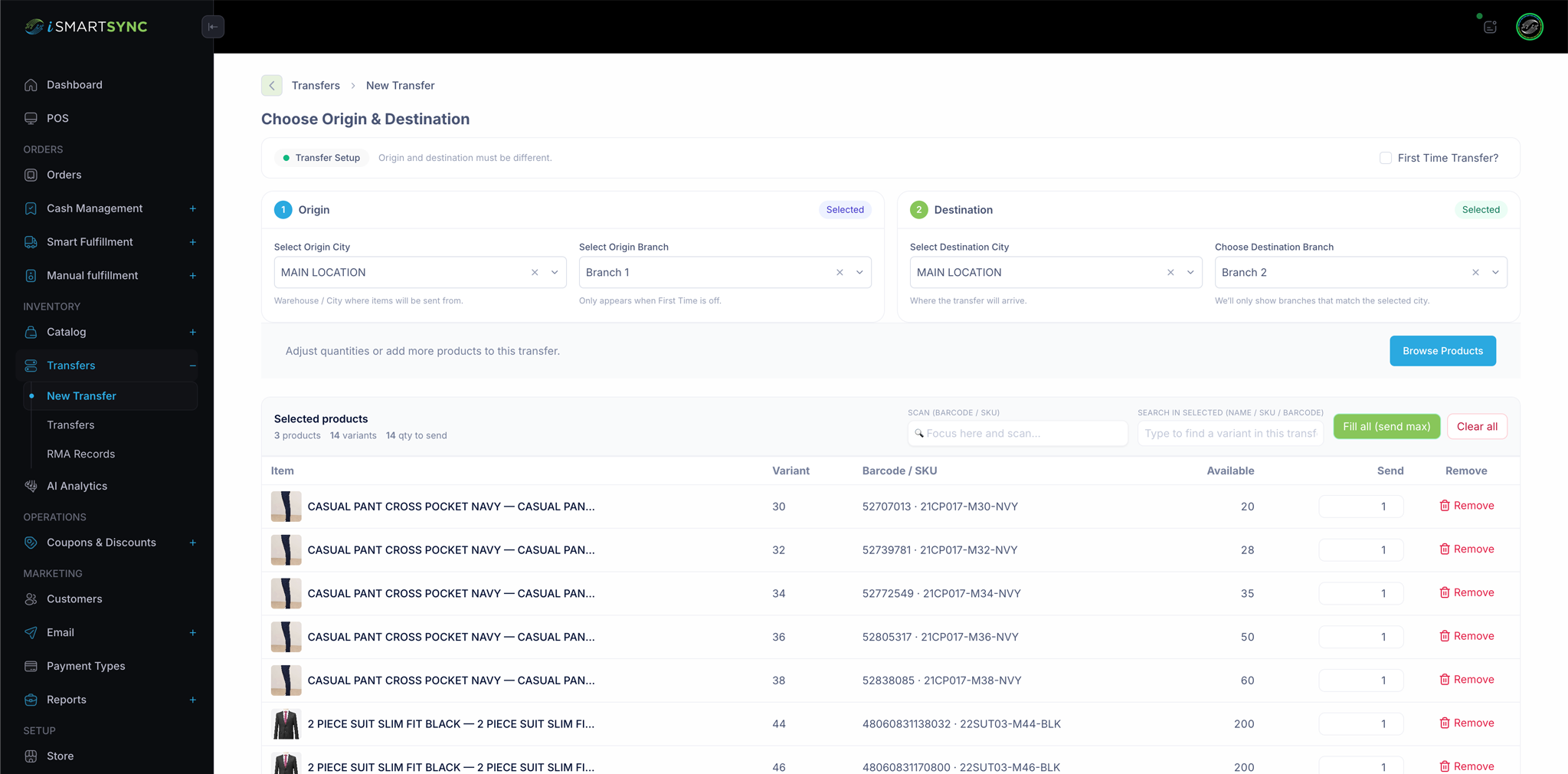
The branch or head office identifies a stock need and raises a formal request. The requested items and quantities are visible to the sending branch. The sending branch confirms what it can actually provide and dispatches those items with a traceable record. The stock leaves the sending location operationally at dispatch. The receiving branch confirms what arrived before the quantity becomes fully available there.
If there is a shortage or discrepancy, the system records that too instead of forcing staff into manual fixes.
This kind of structure removes a lot of everyday ambiguity. It answers the questions that informal workflows leave unresolved:
Did the stock actually leave. Did it actually arrive. Was the full quantity received. Which branch owns it now. Can it be used for sale or fulfillment yet.
For retailers that also move stock inward from suppliers, this works especially well alongside purchase order and inventory management software because purchasing and transfers then form one connected inbound-to-branch flow.
How iSmartSync helps Pakistani retailers manage transfers more cleanly
iSmartSync helps retailers handle branch transfers as structured stock movements rather than as disconnected adjustments.
That means the business can preserve the operational story of the transfer: source branch, destination branch, quantities, timing, and status. Because transfer activity stays connected to the wider branch inventory environment, stock visibility remains more reliable for both in-store selling and Shopify-linked workflows.
This is especially important for Pakistani retailers running multiple outlets where branch balancing happens frequently and where fulfillment decisions depend on knowing which branch actually has usable stock.
To explore the connected workflows, see Multi-Location and Branch Inventory Transfer, Multi-Location Inventory Management, Multi-Branch Inventory and Order Management, and Purchase Order and Inventory Management Software.
Final thoughts
Branch transfer management is easy to underestimate because the movement feels internal.
But internal stock movement changes everything else. It changes what a branch can sell, what Shopify can safely promise, what another branch can fulfill, and what management believes about stock position across the business.
Retailers who handle transfers through a structured request, dispatch, and receipt workflow keep their inventory cleaner and their replenishment decisions faster.
Retailers who rely on informal messages and manual adjustments usually end up solving the same problems later through emergency recounts, last-minute branch calls, and confused fulfillment decisions.
Keep reading
Want to see how this works across your own branches? Book a 30-minute branch workflow demo and we'll walk through your setup.