A return is really three actions: receiving the goods, putting them back into stock, and refunding the money. They often happen at different times and in different places. When they get mixed together, stock ends up at a branch that never saw the item.
The typical case is an online order packed at Branch A that comes back to Branch B, or a shop sale from one branch exchanged at another. This guide covers Shopify returns at a different location step by step, so you end up with a clear trail for both stock and money.
What Is the Difference Between a Return, a Refund and an Exchange?
Separate physical receipt from saleable stock
Receiving means the item is physically in your hands, at a known branch. Checking its condition comes next. Only an item in sellable condition should go back into stock that customers can buy. A shirt with a torn seam or a missing tag shouldn't appear as available, or someone will sell it again and you'll get a second return.
Separate the money movement
A refund is money going back to the customer. A replacement sale is a new item going out. Neither one tells you where the returned goods are. A refund issued online doesn't prove the parcel reached any branch, so record the money and the goods separately, each with its own reference.
Which Location Should Receive the Returned Item?
Identify where the item physically arrived
For every return, note the original order number, the variant, the quantity received and the branch that received it. The address on a return label is where you asked the parcel to go, not proof of where it arrived. Record the branch that actually opened the box.
Choose the supported stock destination
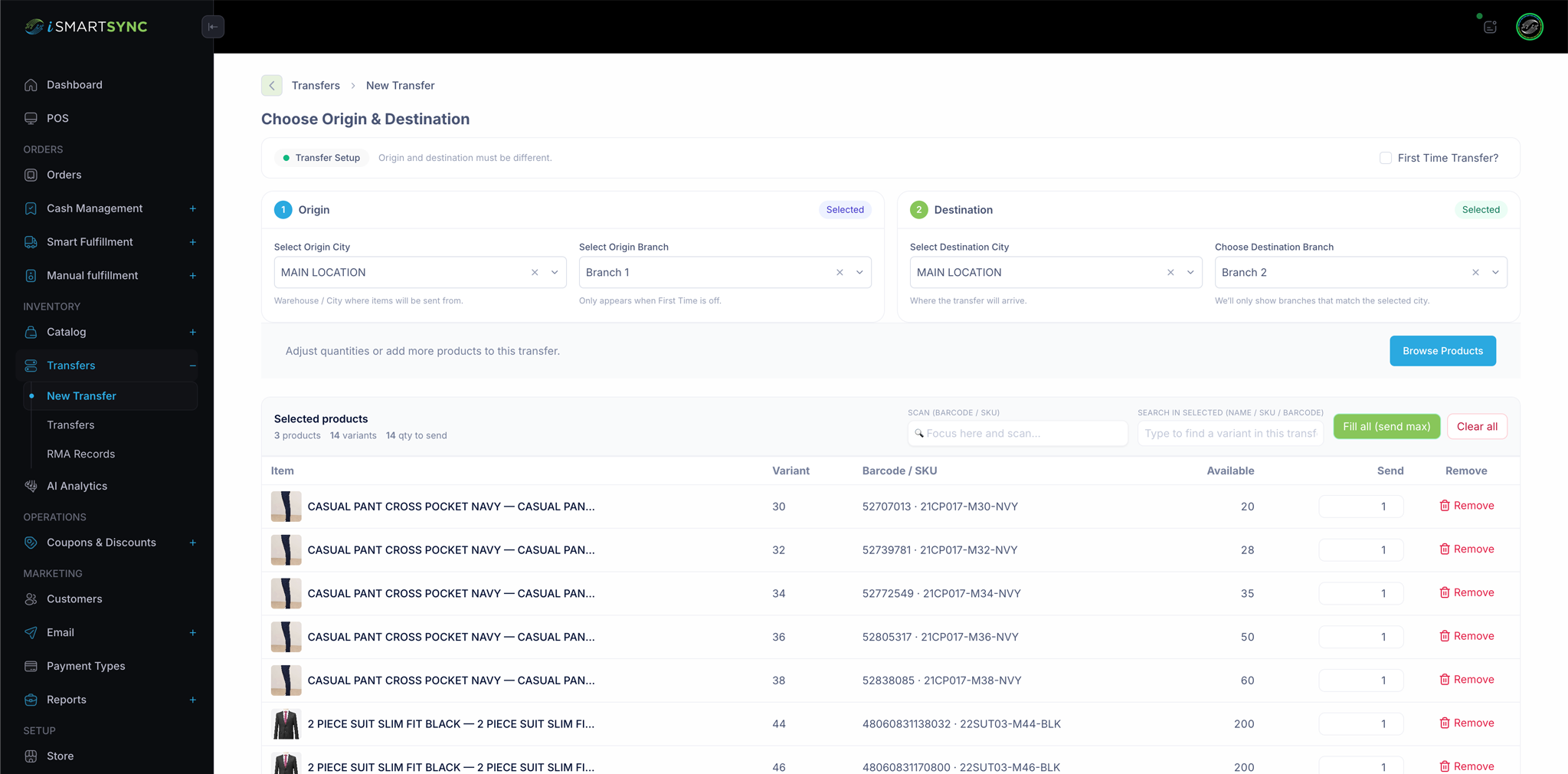
Each returned item has one of three outcomes. Sellable items go back into stock at the branch that holds them. Damaged items stay out of sellable stock and are recorded as damaged. Items that belong elsewhere are sent on with a branch transfer. Use the branch inventory transfer flow for the third case, so the move is recorded rather than edited by hand.
How Should You Handle an Online Purchase Returned In-Store?
Link the receipt to the original order
When a customer brings an online order to a shop, find the original order first and identify the exact lines being returned. Check that your POS can actually see that order. Don't assume every online order appears at the counter.
Check both stock and payment outcomes
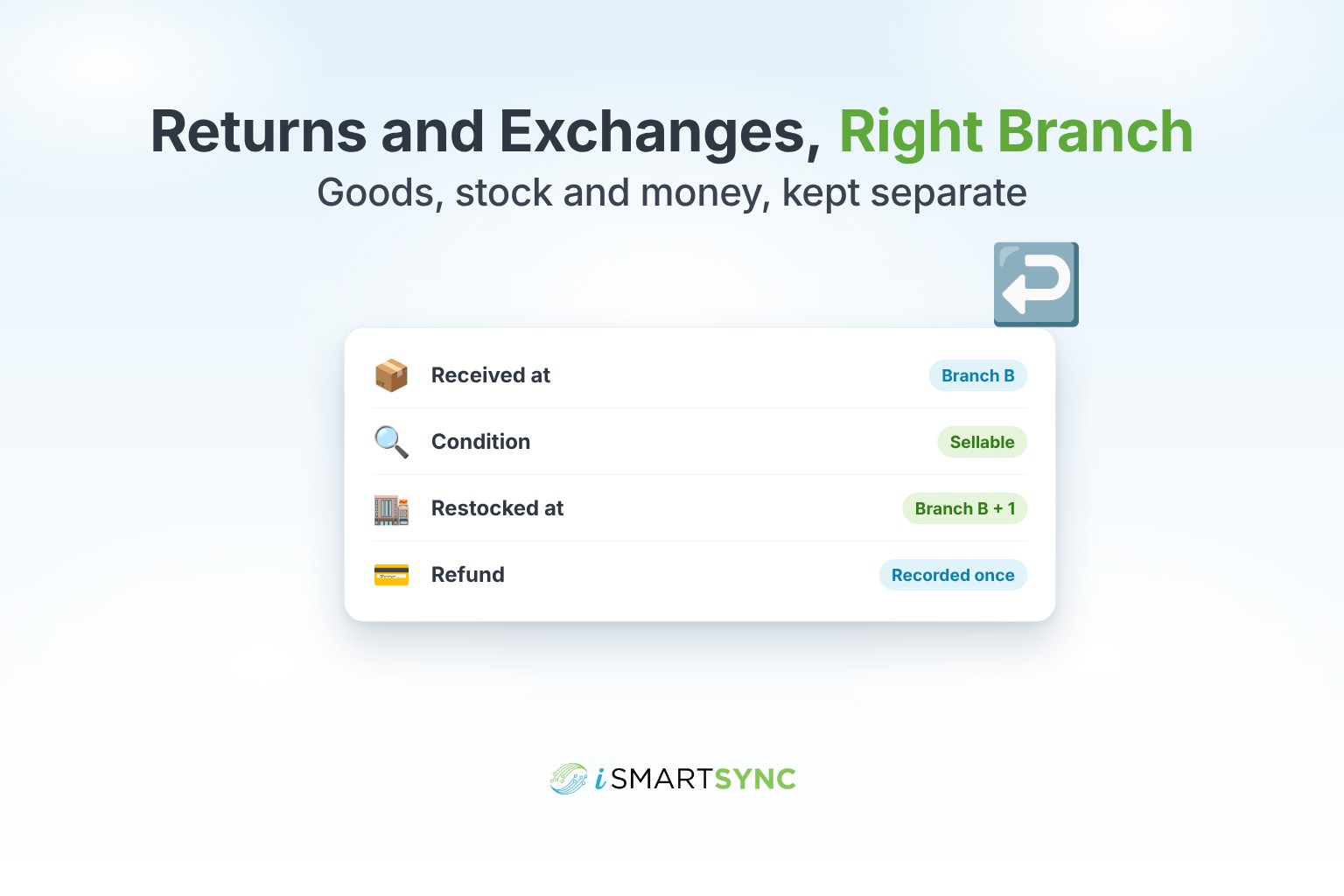
Illustrative example: John Doe returns one shirt, size M, from order 1052, which was packed at Branch A. He brings it to Branch B, and it's in sellable condition. The expected result is that Branch B gains one shirt, Branch A is unchanged, and the refund is recorded once against order 1052. Write down any step your system makes you do by hand.
How Do Partial Returns and Size Exchanges Affect Stock?
Return only the received eligible quantity
If an order had three items and only one comes back, return one. Don't restock the whole order to save time. The other two items are still with the customer, and restocking them creates stock you don't have.
Deduct the replacement variant once
In a size exchange from M to L, size M goes back into stock only if it's sellable, and size L comes off stock exactly once. The money is a separate line. If the prices are the same, nothing changes hands. If L costs more, the customer pays only the difference.
How Do You Check the Receipt and Inventory Trail?
Match order, return, refund and stock references
Four records should line up: the original order, the return record, the refund, and the stock movement. Each proves something different. The order proves what was sold, the return proves what came back, the refund proves the money, and the stock movement proves where the item went. Missing any one leaves a gap.
Investigate manual adjustments and incorrect destinations
If the item shows at the wrong branch, compare what you expected with your system's stock log. Check whether the system already restocked it automatically before anyone adjusted it by hand. A second manual restock on top of an automatic one creates phantom stock. Fix it with a transfer or a noted adjustment. For a fuller check, see how to find the cause of a Shopify and POS inventory mismatch.
What Return Scenario Should a POS Demo Prove?
Test an online sale returned at a different branch
Set starting quantities, then run four cases: a sellable return, a damaged return, a partial return and a size exchange. For each, write the expected branch quantity, Shopify quantity and refund before you start, then compare.
Show iSmartSync's supported return and exchange flow
In iSmartSync, an exchange at the counter charges only the price difference, and the returned item goes back into stock. When a cash-on-delivery parcel is returned, marking it "Returned" puts the items back into the branch that packed the order, restores Shopify stock and tags the Shopify order "Returned" and "Restocked" with no refund, since nothing was paid. If the parcel physically comes back to a different branch, record a transfer to that branch. Missing or damaged items between branches go into an RMA record.
Frequently Asked Questions
Which branch should get the stock back?
The branch that physically holds the item, if it's sellable. If your system restocks the original branch automatically, move it with a recorded transfer.
Should a damaged return go back into stock?
No. Keep damaged items out of sellable stock and record them as damaged, so they can't be sold again by mistake.
How do I record an exchange without double-counting?
Return the original size once, if sellable, take the new size off stock once, and record any price difference as a separate payment.
Keep the goods and the money separate
You can now handle returns and exchanges as separate steps: receive the item, check its condition, restock it at the right branch, and record the money. Matching the four references is the quickest way to catch a return restocked at the wrong branch.
To see how a return at a different branch would work with your own stock, book a 30-minute branch workflow demo and bring one real return you've had trouble with.